1. Product Overview
Thank you for choosing our Nordic Edition Electric Underfloor Heating Thermostat. Designed specifically for high-efficiency indoor climate control, this device combines dynamic color feedback with precise physical floor protection algorithms — making it ideal for modern homes and timber-framed flooring structures.
1.1 Features
- Dynamic graphical & text display
- Multi-language support
- Integrated 2-pole switch (topolt brudd)
- Built-in room sensor and external floor sensor included
- Child lock & PIN for user security
- PWM mode for time-proportional heating control
- Power limit function for wood floor protection
- Adaptive start to automatically reach target temperature on time
1.2 Product Specification
| Display | 160 × 128 RGB TFT LCD |
|---|---|
| Power supply | 90–240 Vac, 50/60 Hz |
| Temperature display range | −20 ~ 70 °C |
| Sensor | NTC probe, 10 kΩ ±1% |
| Relay | 16 A / 240 Vac switch relay |
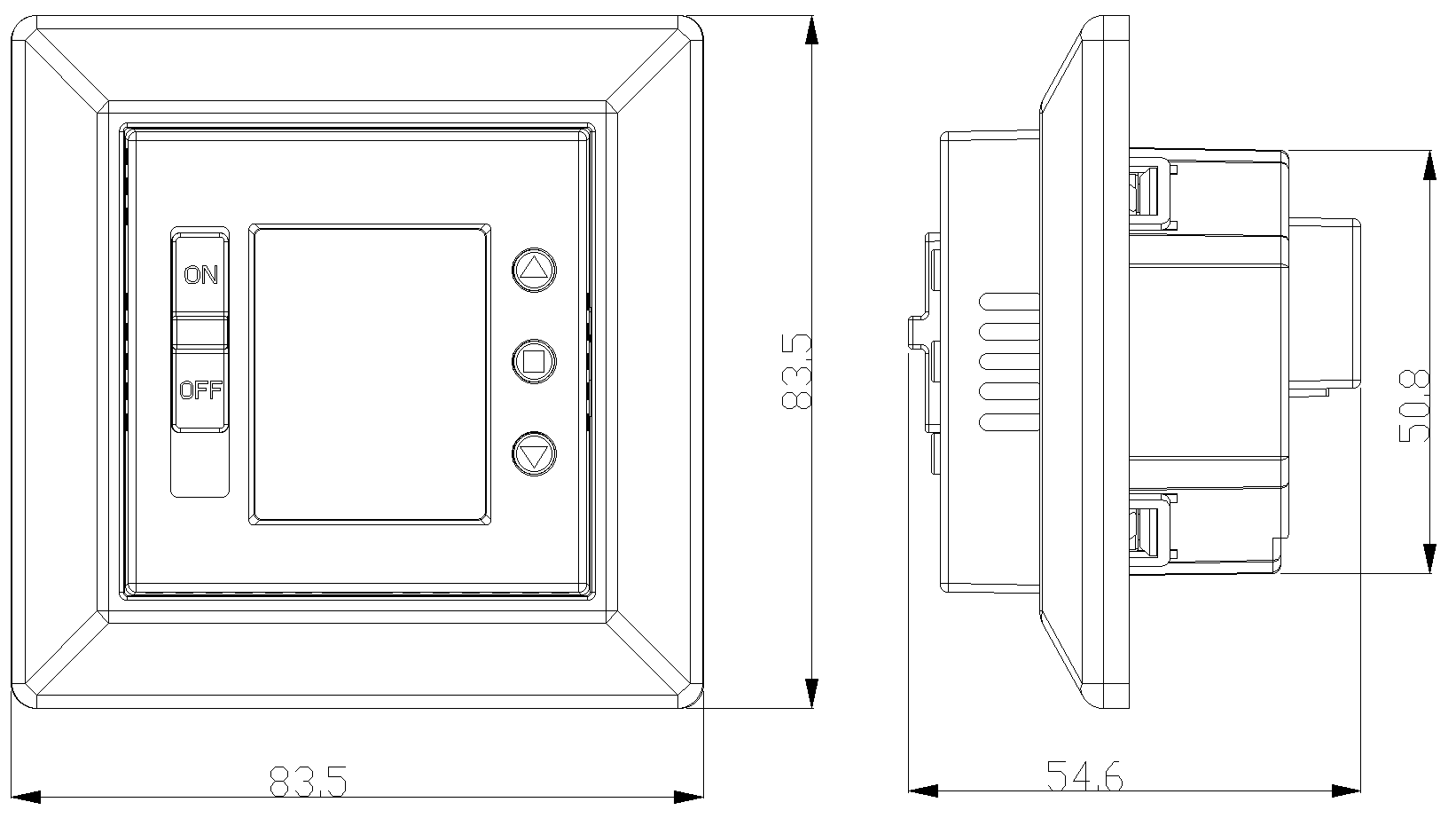
| Dimensions | 83.5 × 83.5 × 54.6 mm |
1.3 Package Content
- Thermostat × 1
- NTC sensor × 1
- Fixing screws × 2
- User manual × 1
1.4 Assembly & Wiring
1.4.1 Assembly Diagram
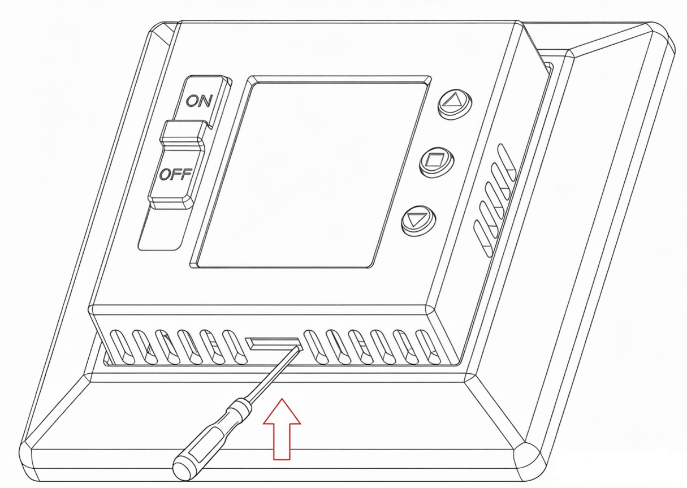
- Fig. 1: Insert a screwdriver into the locking hole on the thermostat cover and pry it upwards.
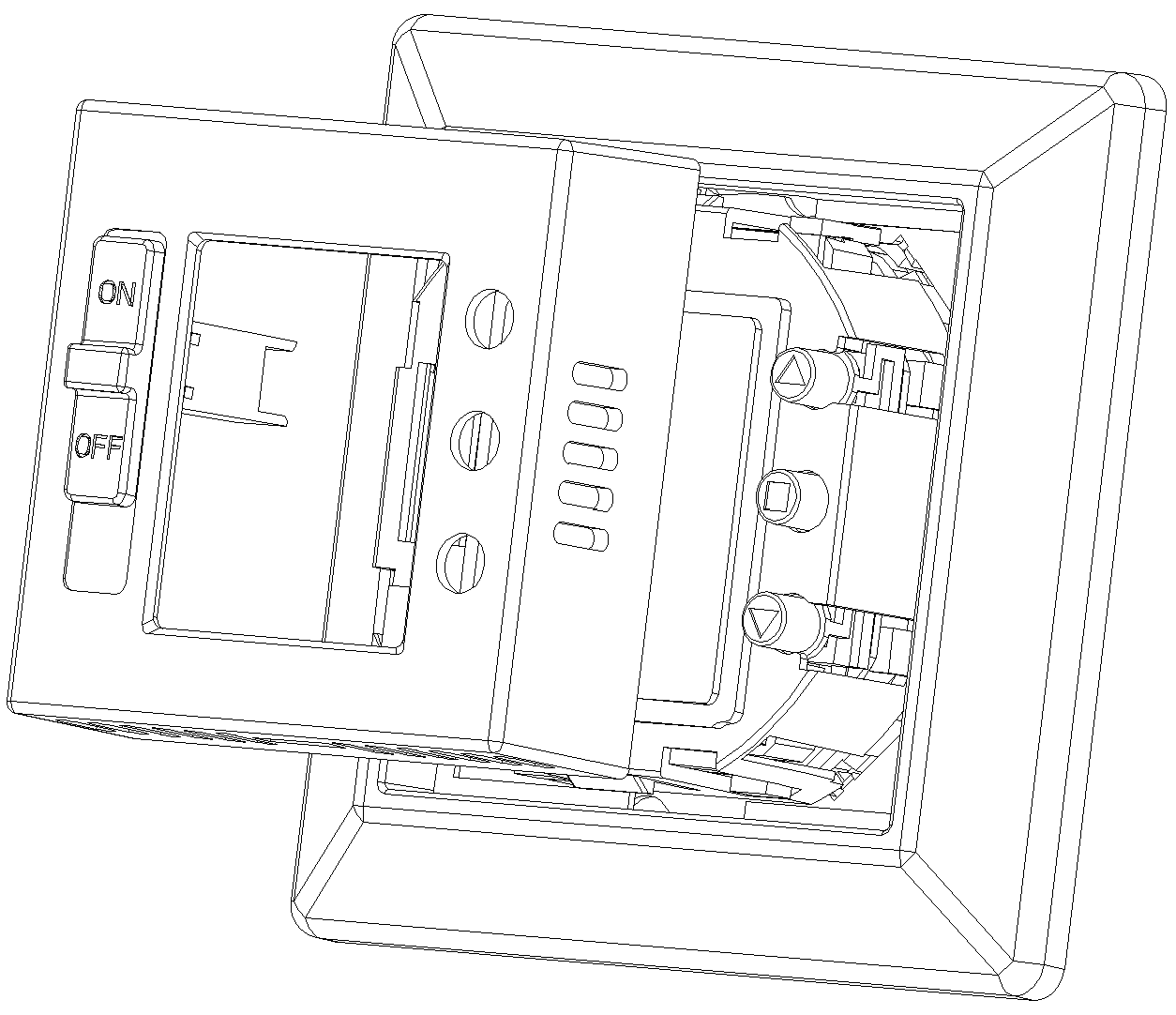
- Fig. 2: Remove the thermostat cover and decorative panel by lifting it upwards.
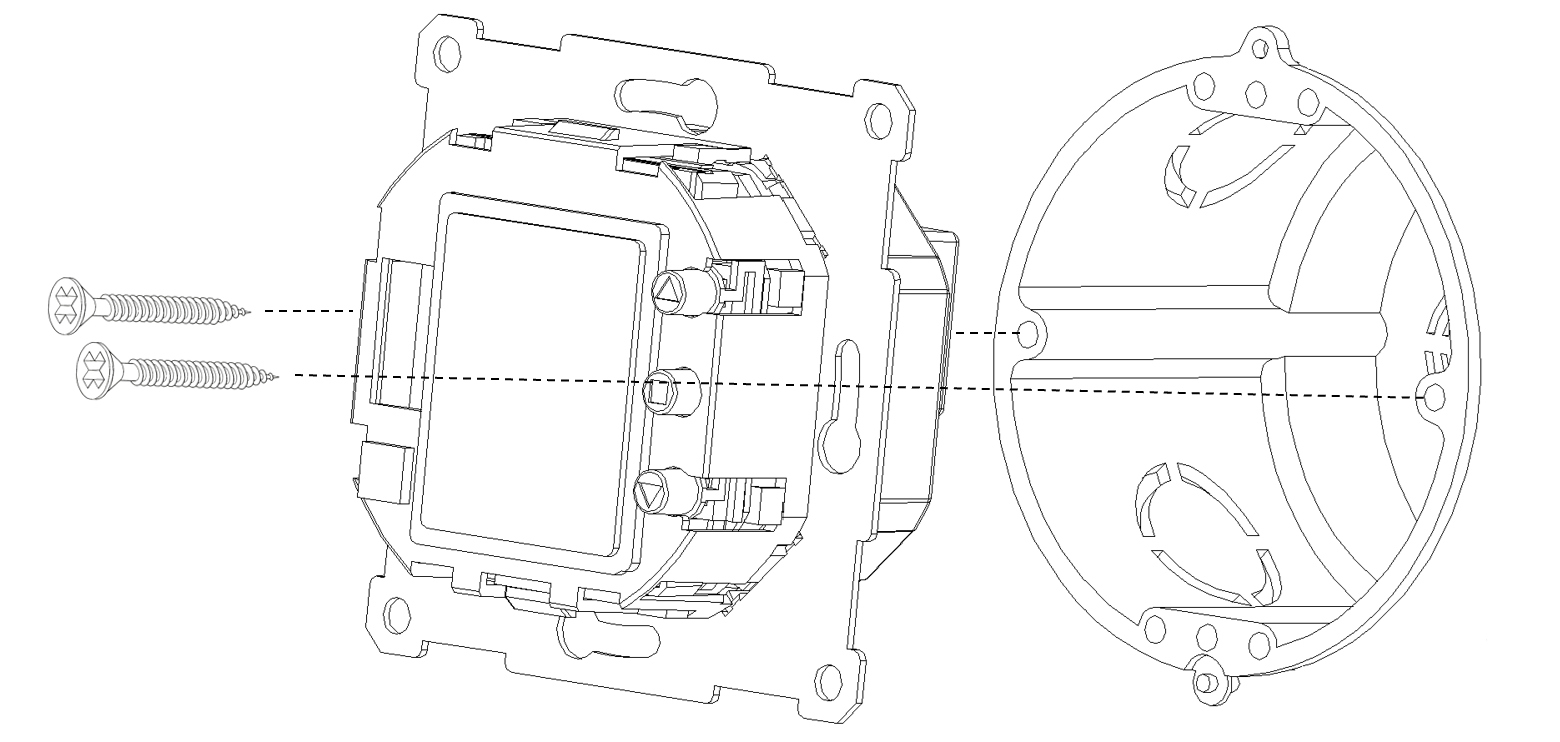
- Fig. 3: Secure the thermostat to the wall junction box using screws.
1.4.2 Wiring Connection
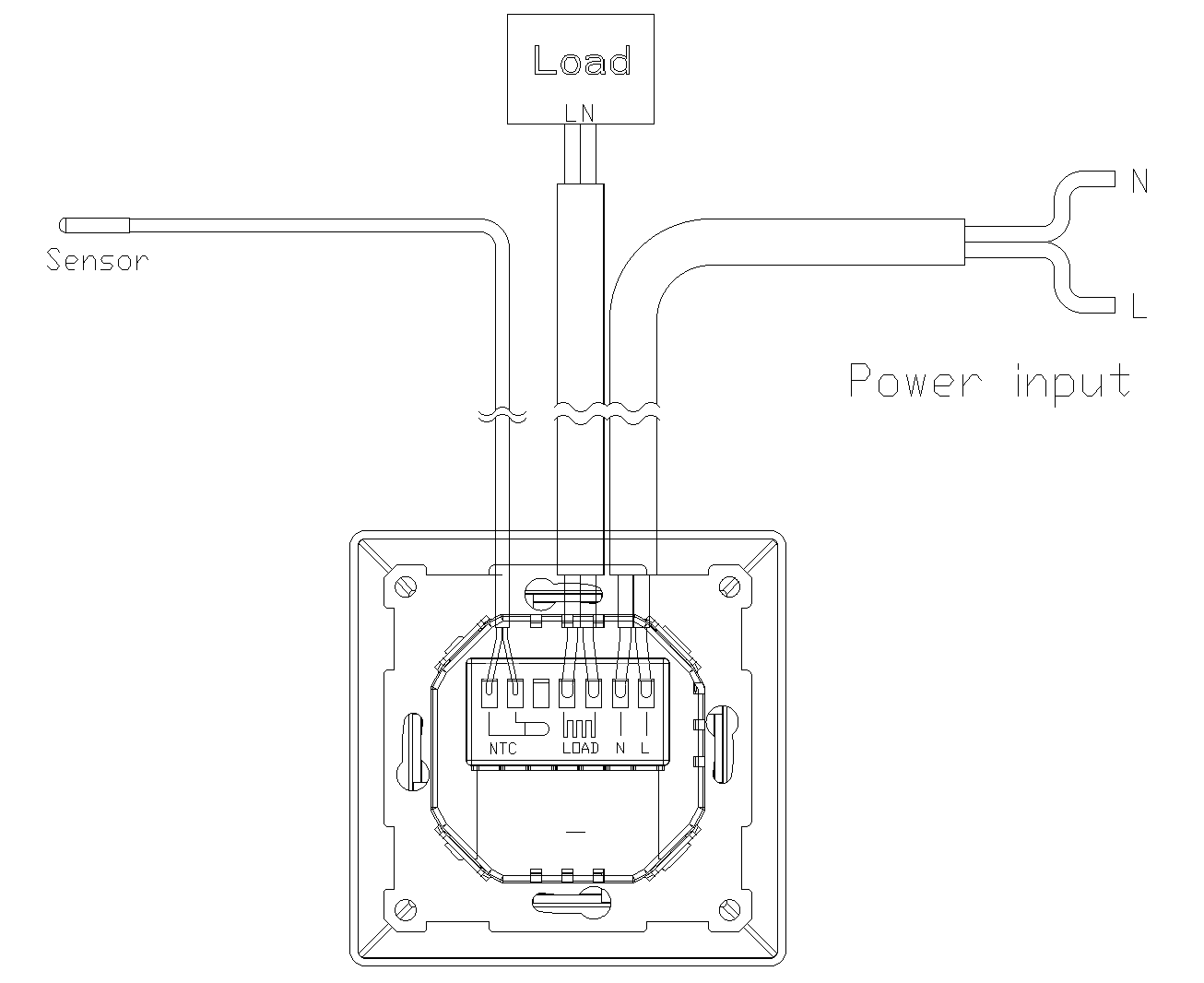
2. MMI (Man-Machine Interface)
This section mainly explains how to operate the thermostat's user interface and its related functions.
2.1 Key & Switch Definitions
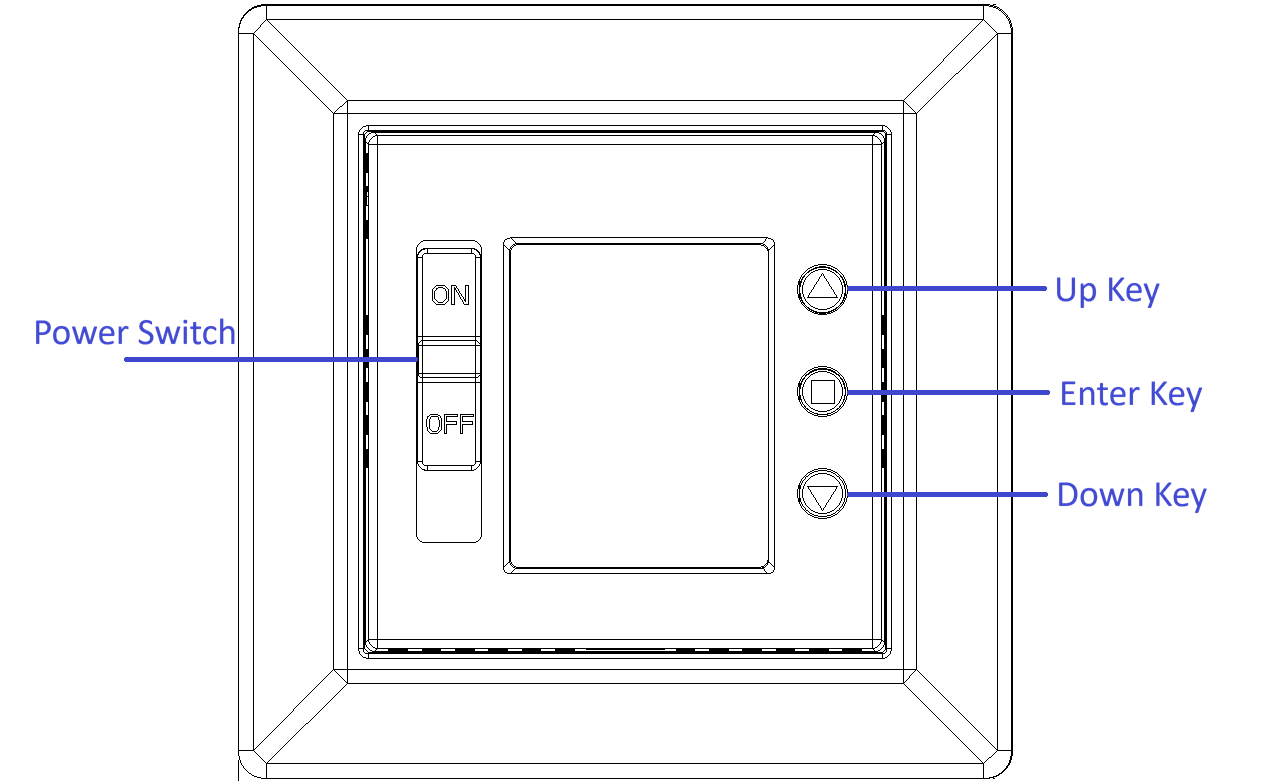
The device features three physical keys and one power switch:
- ▲ / ▼ Up / Down keys: Used to adjust the target temperature (in increments of 1 °C) or to navigate through configuration menus.
- ■ Enter key: Used to access setting modes or confirm parameter values.
- Power switch: The front panel is equipped with a physical 2-pole switch that can cut off the external AC power.
2.2 Main Display Page
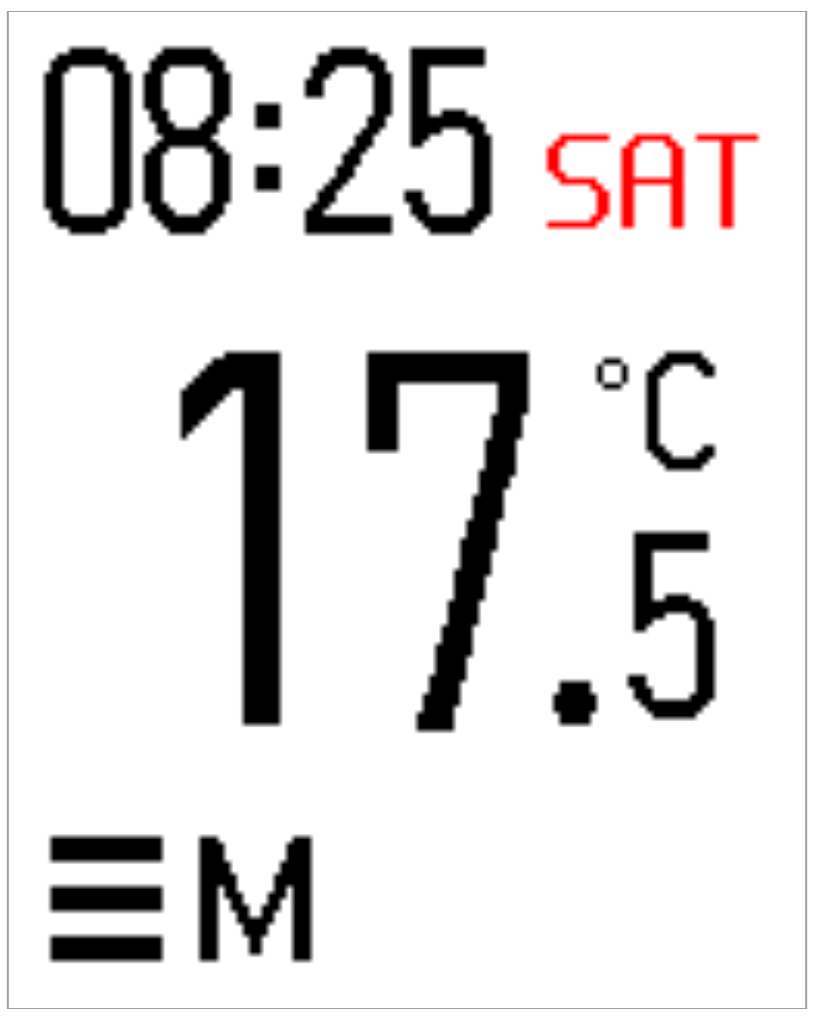
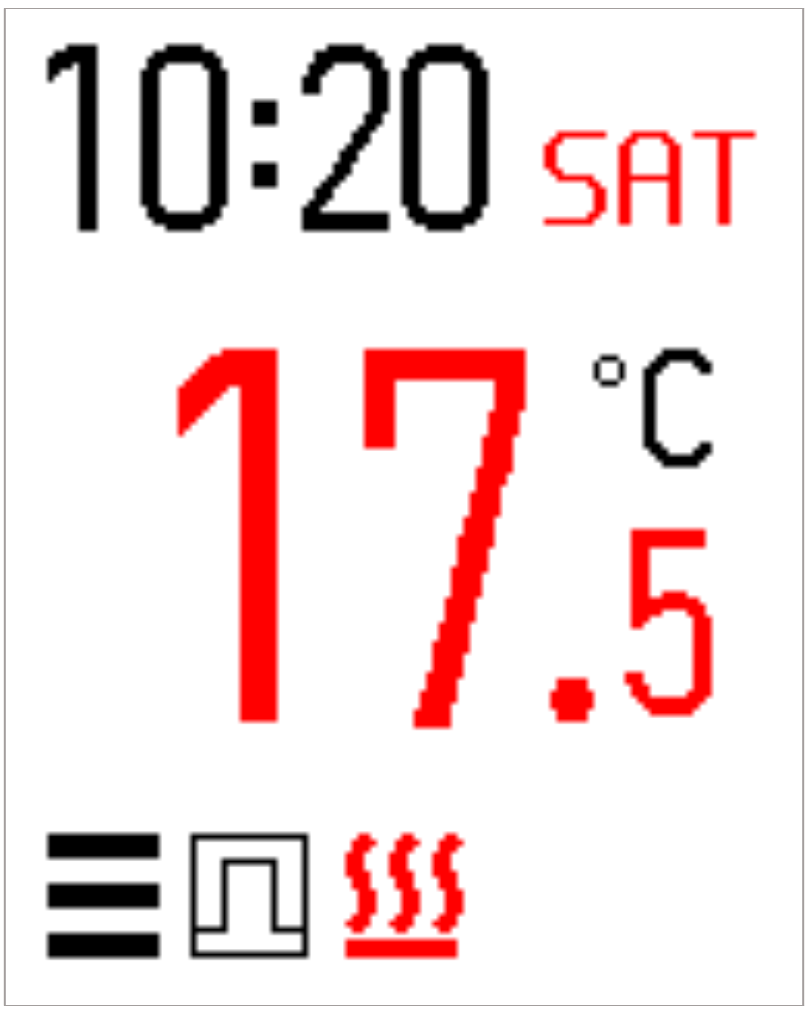
The main interface screen layout and functional descriptions are detailed below:
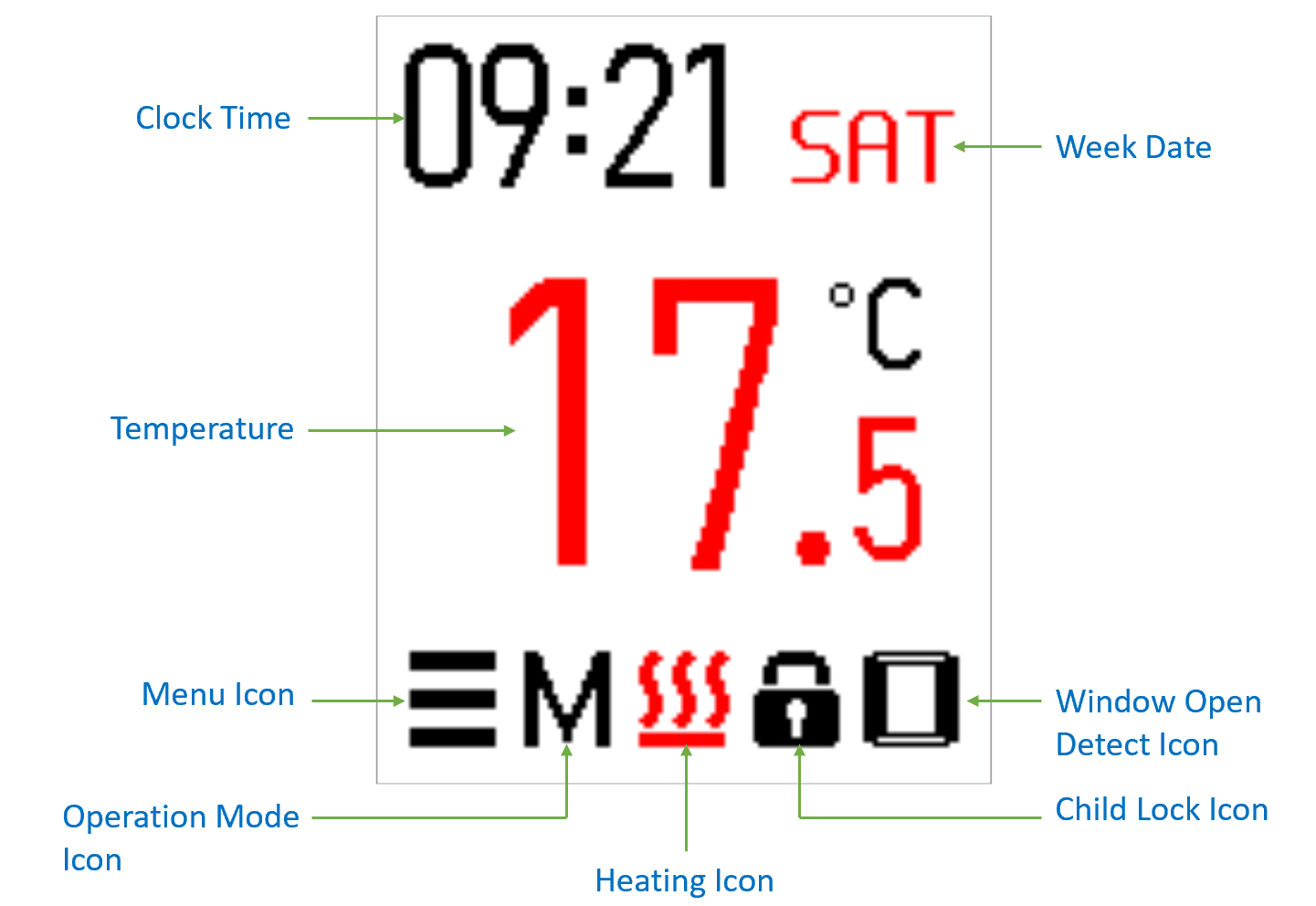
- Clock Time: Displays the current system time.
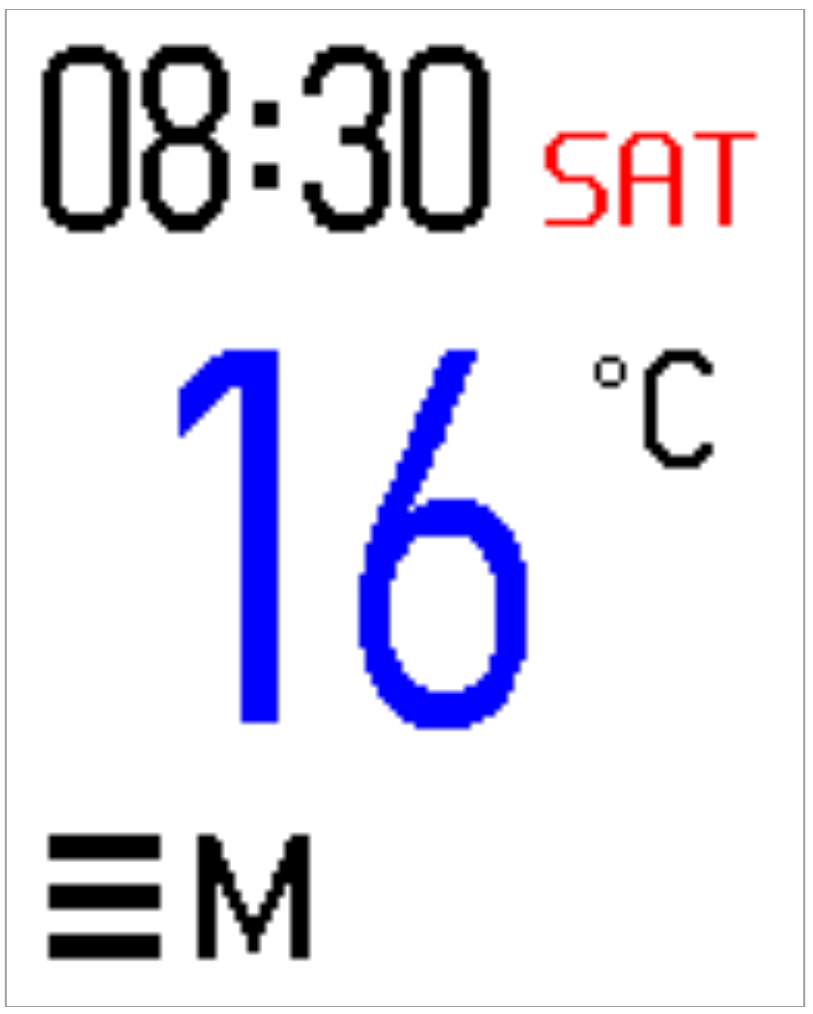
- Week Date: Indicates the day of the week. Standard working days are displayed in blue text, while rest days are displayed in red text.
- Temperature: Displays the current reading from the primary control sensor. When Sensor Select is set to Room, it shows the internal NTC temperature; when set to Floor, it shows the external NTC temperature.
- Menu Icon: Pressing the Enter key during Active Mode changes this icon to red. Pressing Enter again navigates to the thermostat parameter configuration menu.
- Operation Mode Icon: Displays the active operational mode. Users can select from Manual Mode, Schedule Mode, or PWM Mode.
- Heating Icon: Appears when the thermostat is actively heating, changing the Temperature digits to red. When heating stops, this icon disappears, and the Temperature digits change to black.
- Child Lock Icon: Displayed on the main page when the Child Lock function is enabled.
- Window Open Detect Icon: Displayed on the main page when the Window Open Detection function is enabled.
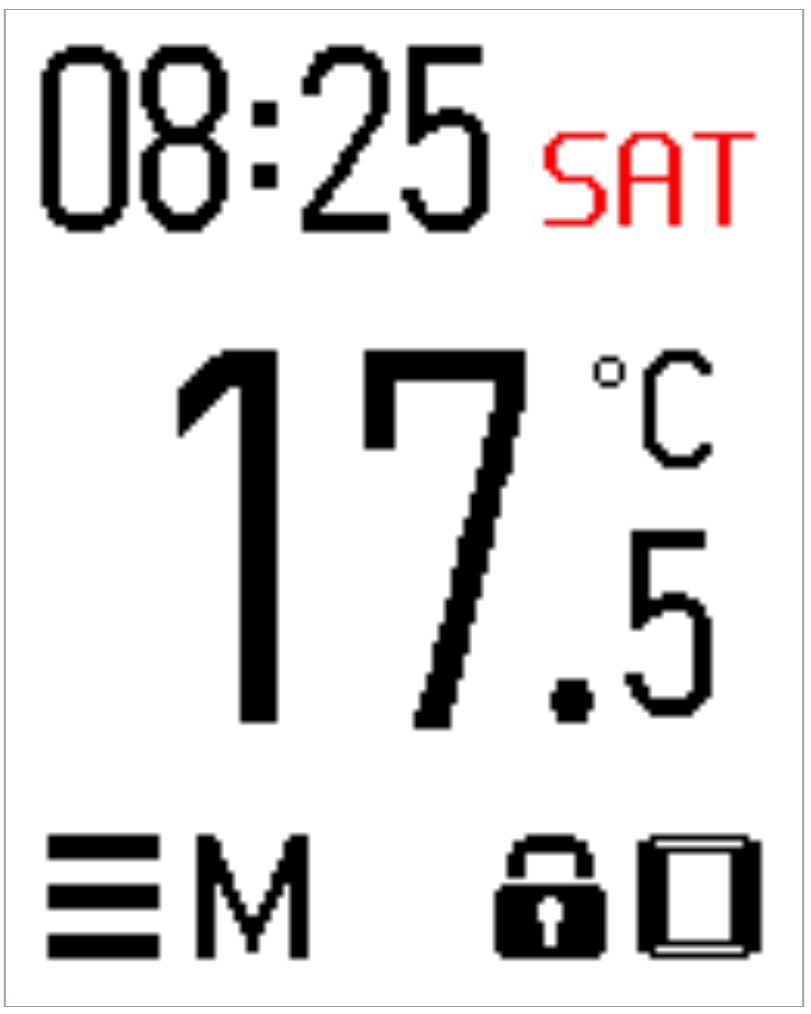
The definition of working days and rest days varies depending on the configured Program Type. Refer to the Program Type settings for details.
2.3 Operation Modes & Basic Key Controls
2.3.1 Core Operating States
The thermostat features three core operating and display states, each managing system resources differently:
- Active Mode: Triggered by any keypress. The screen backlight illuminates at full brightness, and the LCM display responds to user input in real time.
- Sleep Mode (Power Saving): Entered automatically after 20 seconds of inactivity in Active Mode. The backlight dims or turns off completely while the background system continues NTC temperature sampling seamlessly.
- Setting Mode: Entered by pressing the ▲ or ▼ key while in Active Mode. This state triggers a distinct visual cue (the temperature font color turns blue) and includes a 10-second idle timeout safety mechanism. If no action is taken within 10 seconds, the device automatically reverts to Active Mode. Temperature adjustments performed using the ▲/▼ keys must be confirmed by pressing the Enter key; otherwise, modifications are discarded.
2.4 Thermostat Control & Adjustment Menu
2.4.1 Main Menu Navigation
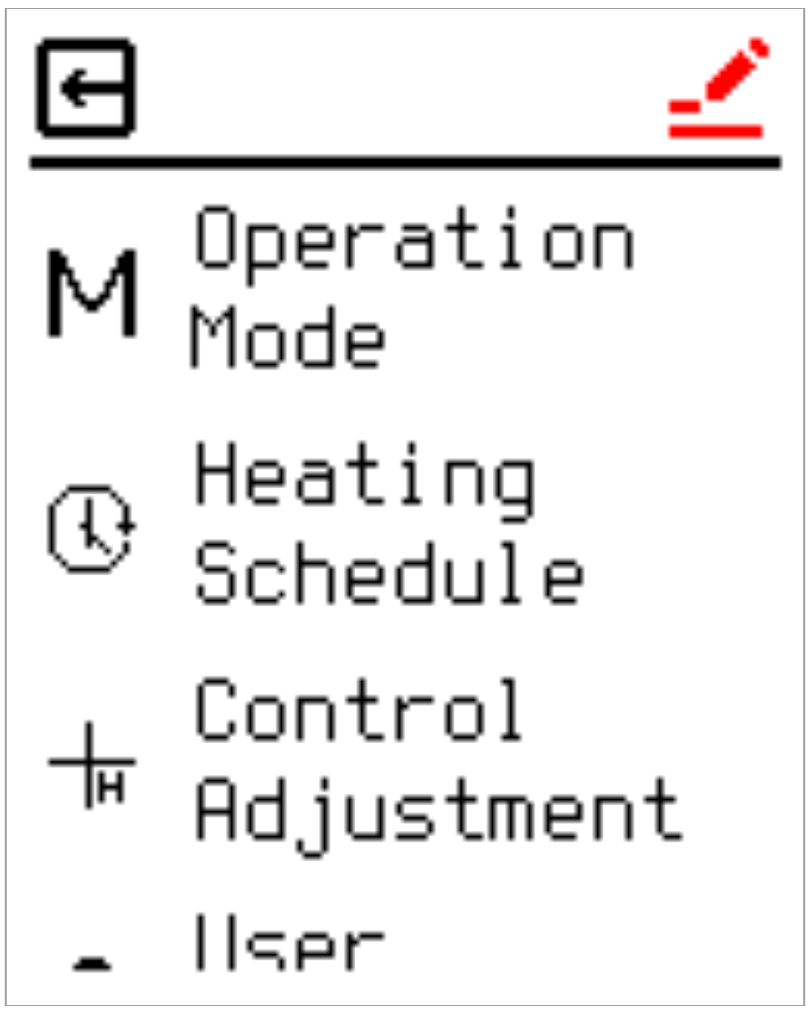
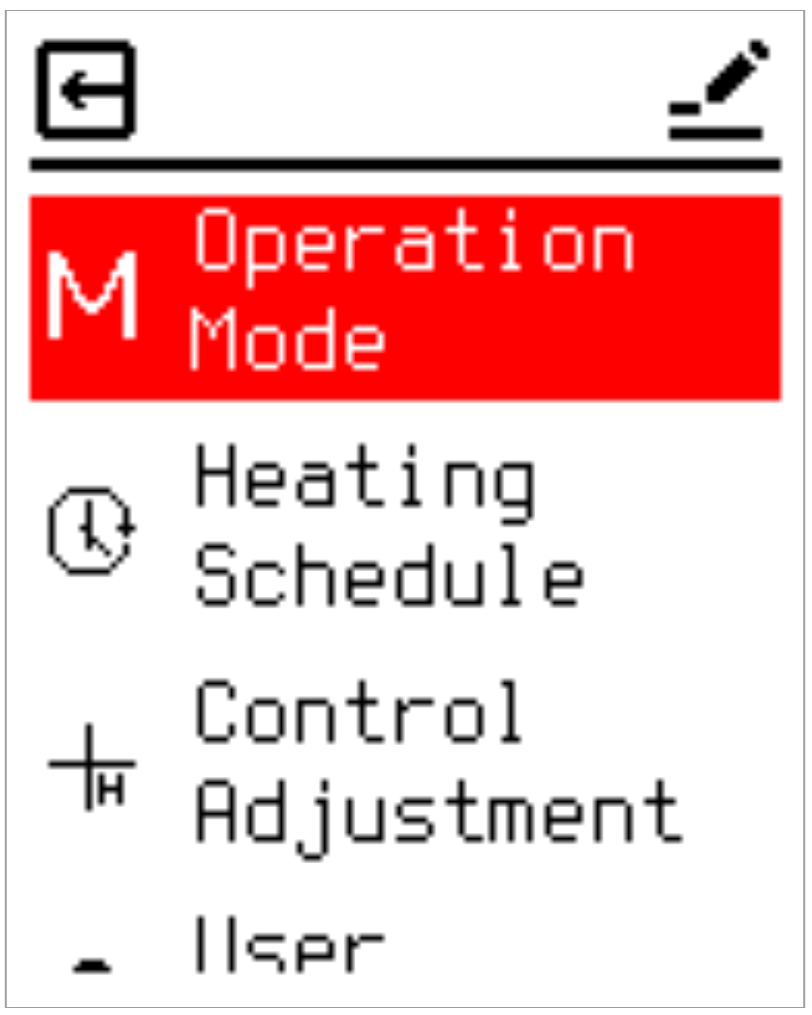
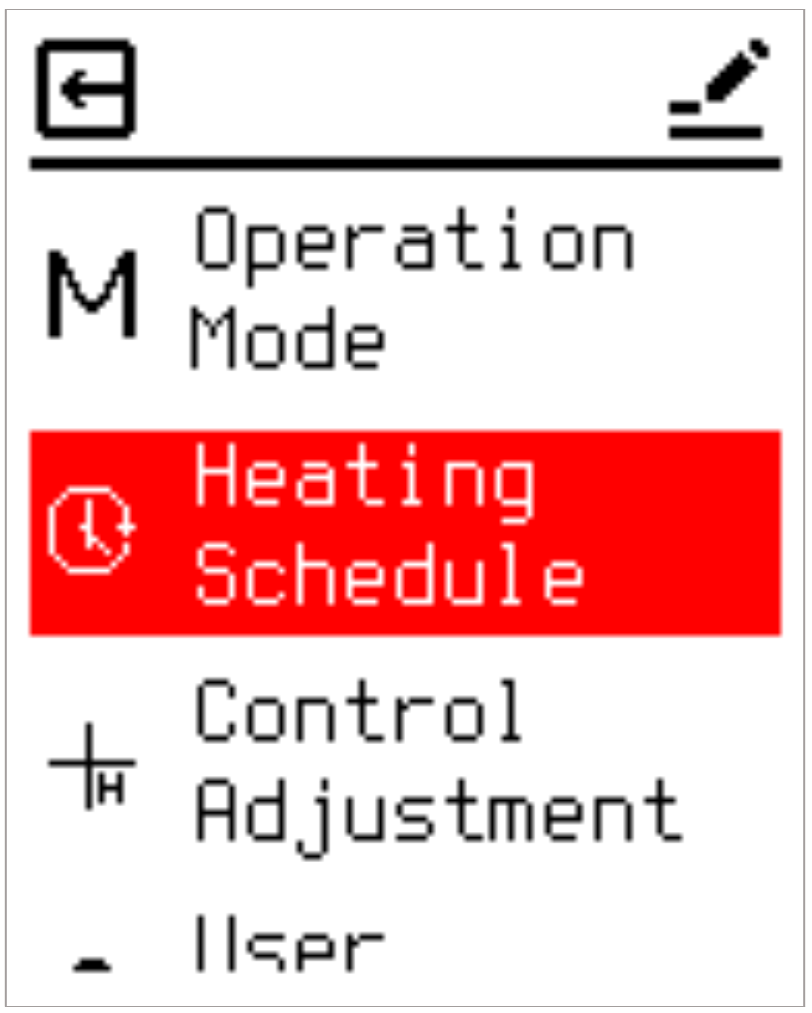
To access the main settings menu, press the Enter key while in Active Mode to highlight the Menu Icon (it will turn red), then press Enter once more. The main menu is divided into four primary categories:
- Operation Mode
- Heating Schedule
- Control Adjustment
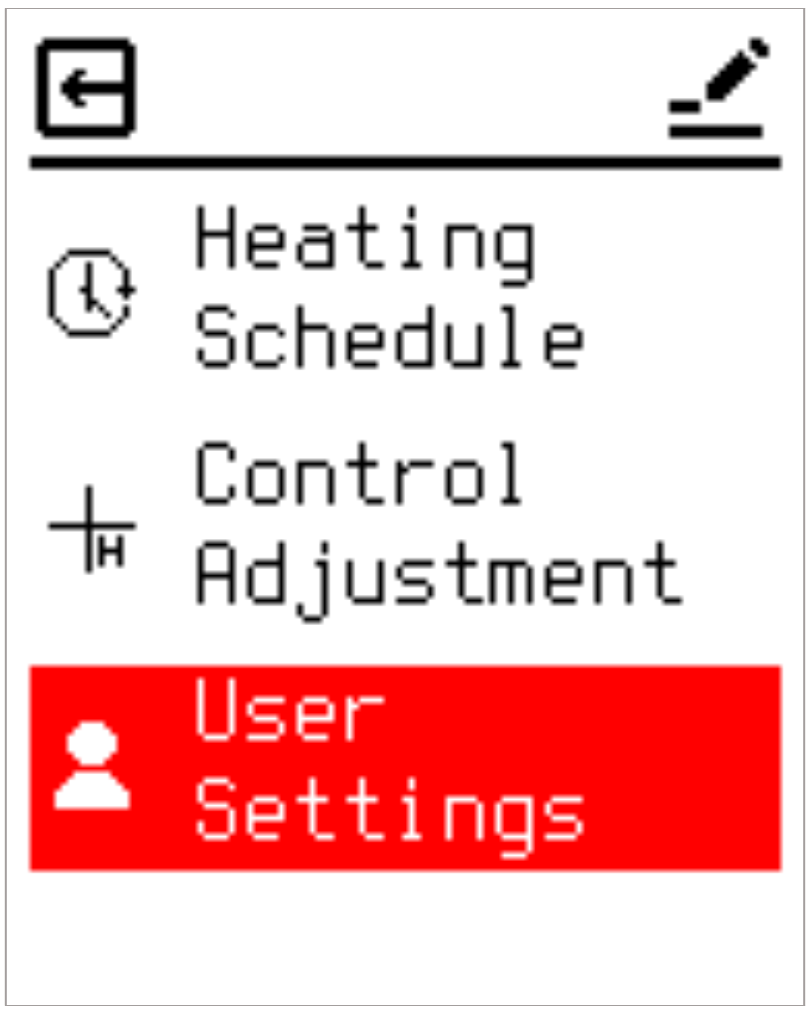
- User Settings
2.4.2 Top Bar Operation
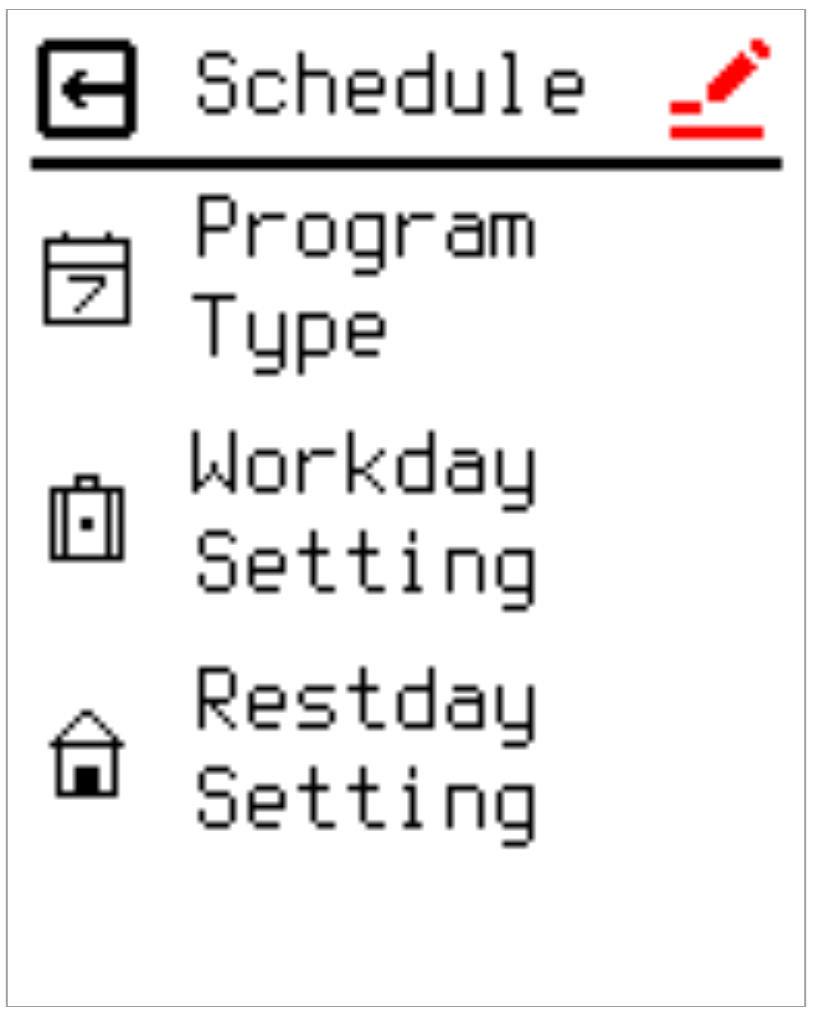
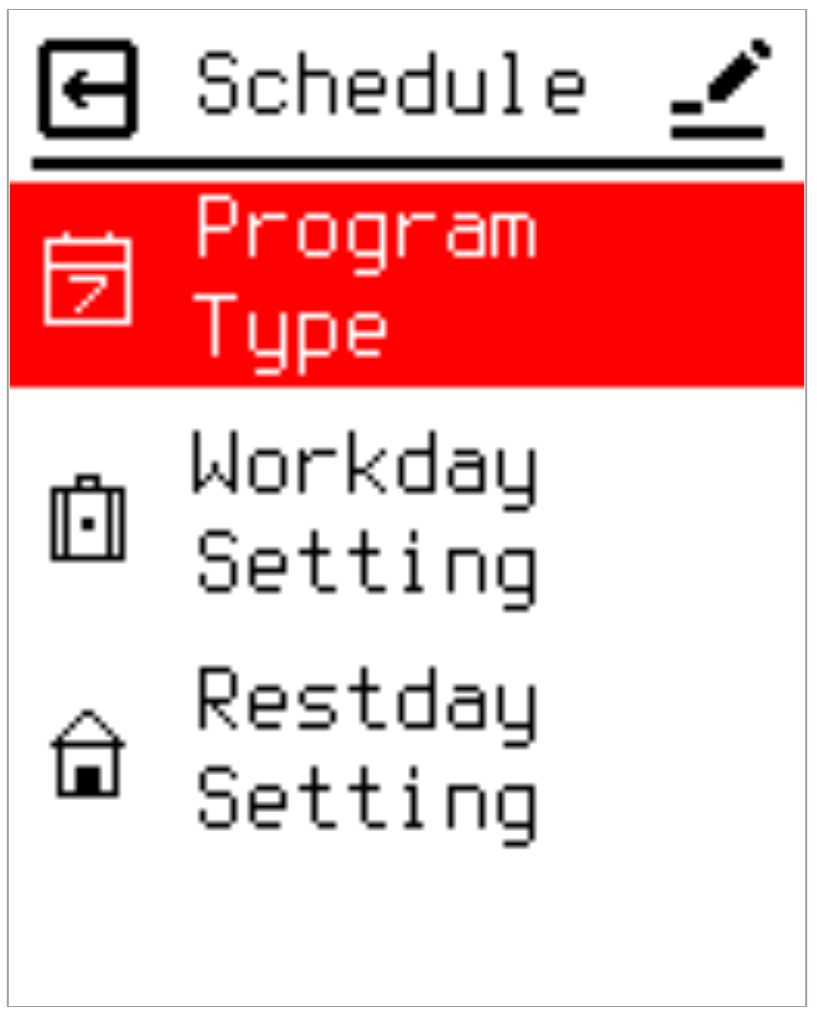
After entering the settings page, all pages have a top bar area. When entering a new page, you will first stop at the top bar area. This area contains two icons: Edit and Exit. As shown by the red Edit icon on the left in the image above, the editing function is selected; pressing Enter or ▼ will enter the editing of the page content (see the image on the right), while pressing ▲ instead moves the selection to the Exit icon, highlighting it in red. When the Exit icon is highlighted in red, pressing Enter or ▲ returns to the previous page, while pressing ▼ moves the selection back to the Edit icon, highlighting it in red.
2.5 Thermostat Operation Modes
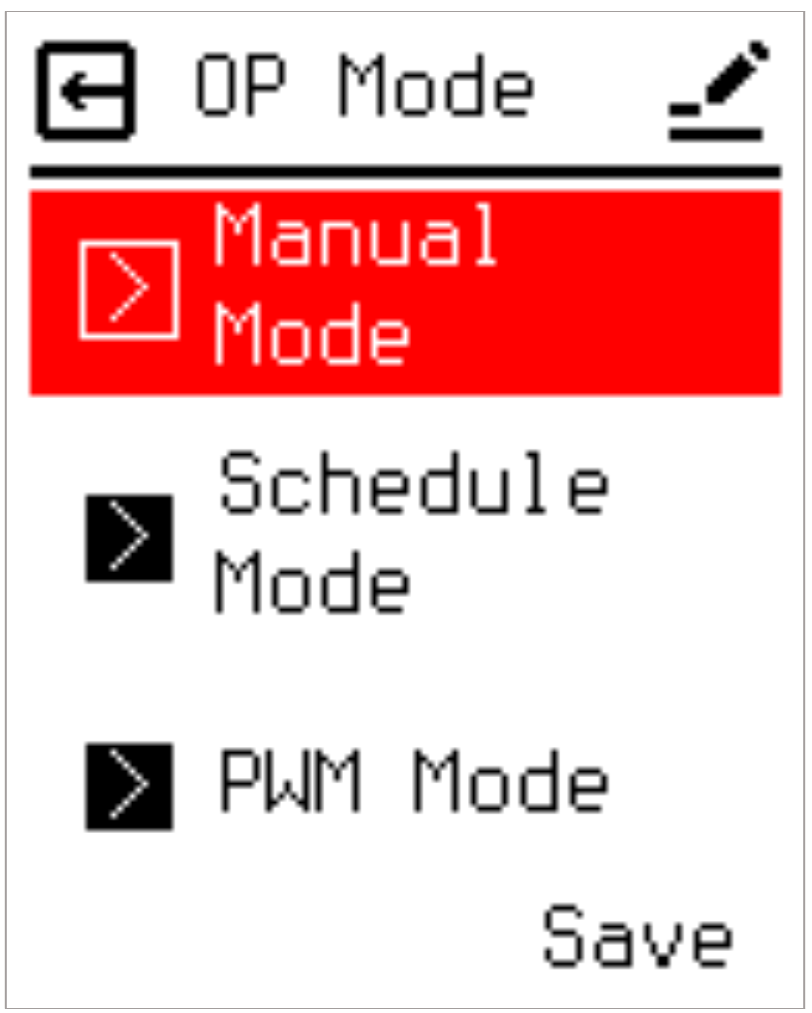
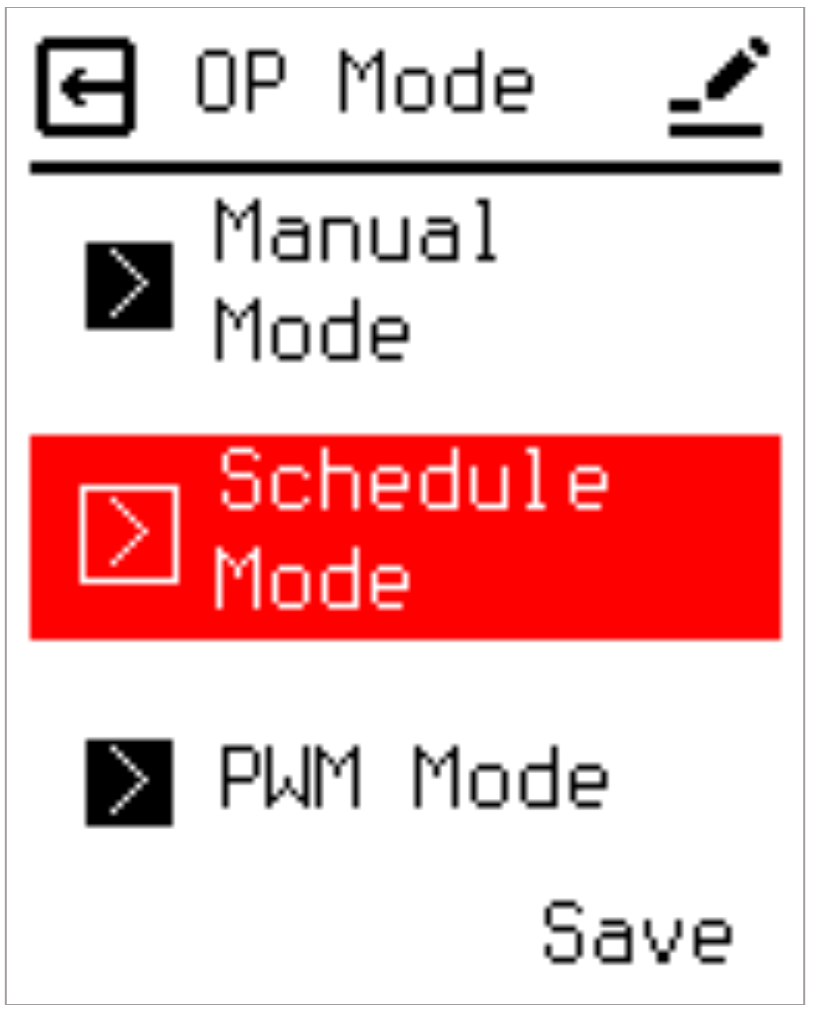
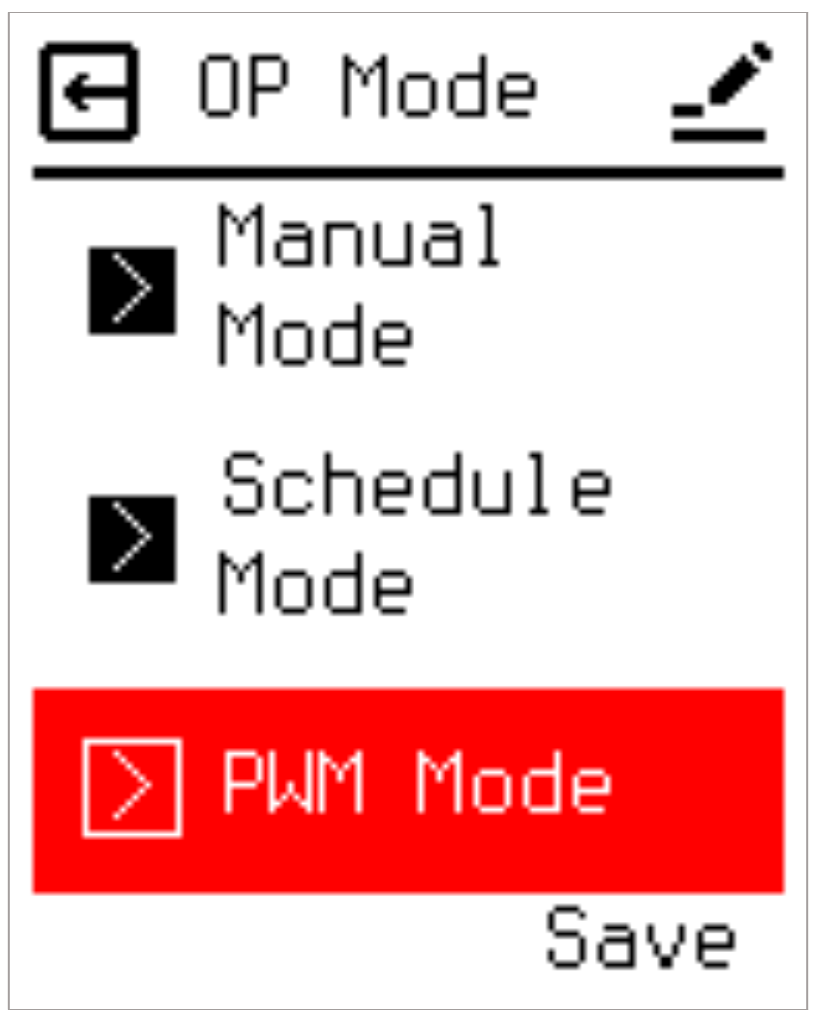
The operation of a temperature controller is basically divided into three modes: manual setting, scheduling, and PWM. The selection screen is as follows:
2.5.1 Manual Operation Mode (Manual Mode)
In Manual Mode, the thermostat regulates heating output primarily based on the temperature specified during Setting Mode. However, operations remain constrained by environmental boundaries such as high/low protection limits, window open detection, and continuous heating limitations (Power Limit).
2.5.2 Schedule Mode
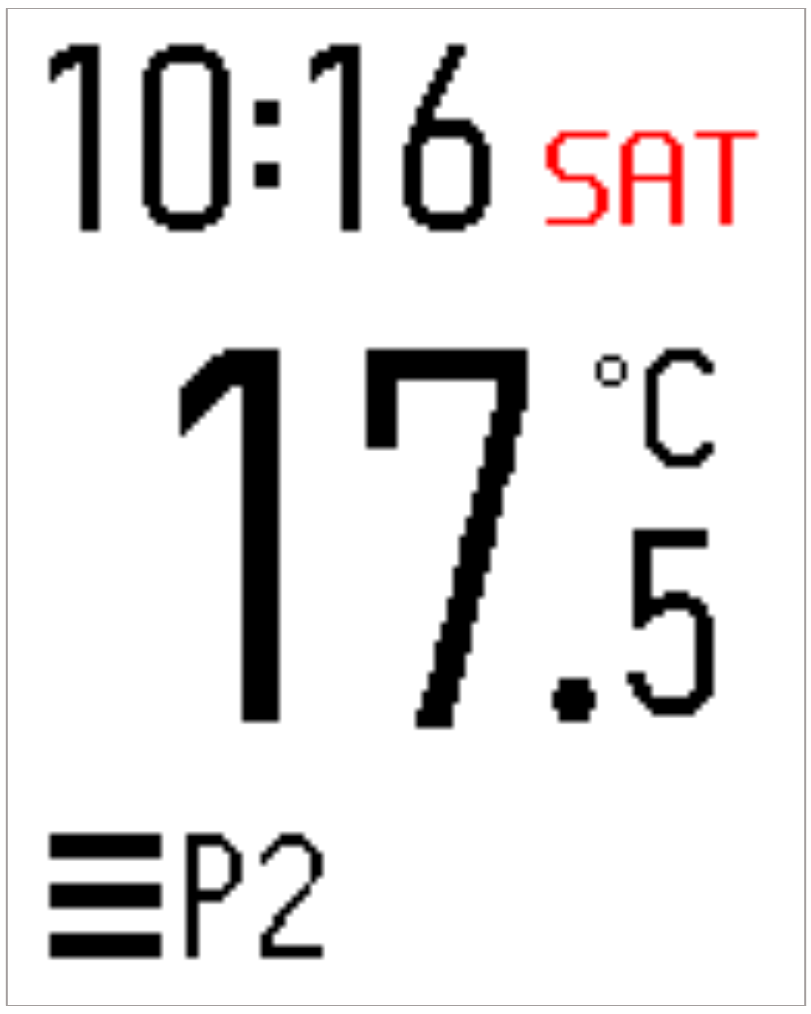
The thermostat offers editable scheduling options, allowing users to predefine execution times and target temperatures. Once Schedule Mode is activated, the system executes heating according to these configurations. Schedule parameters can be modified under the Heating Schedule menu. When active, the main display UI changes: the standard "M" icon disappears and is replaced by a "PX" icon.
2.5.3 PWM Mode
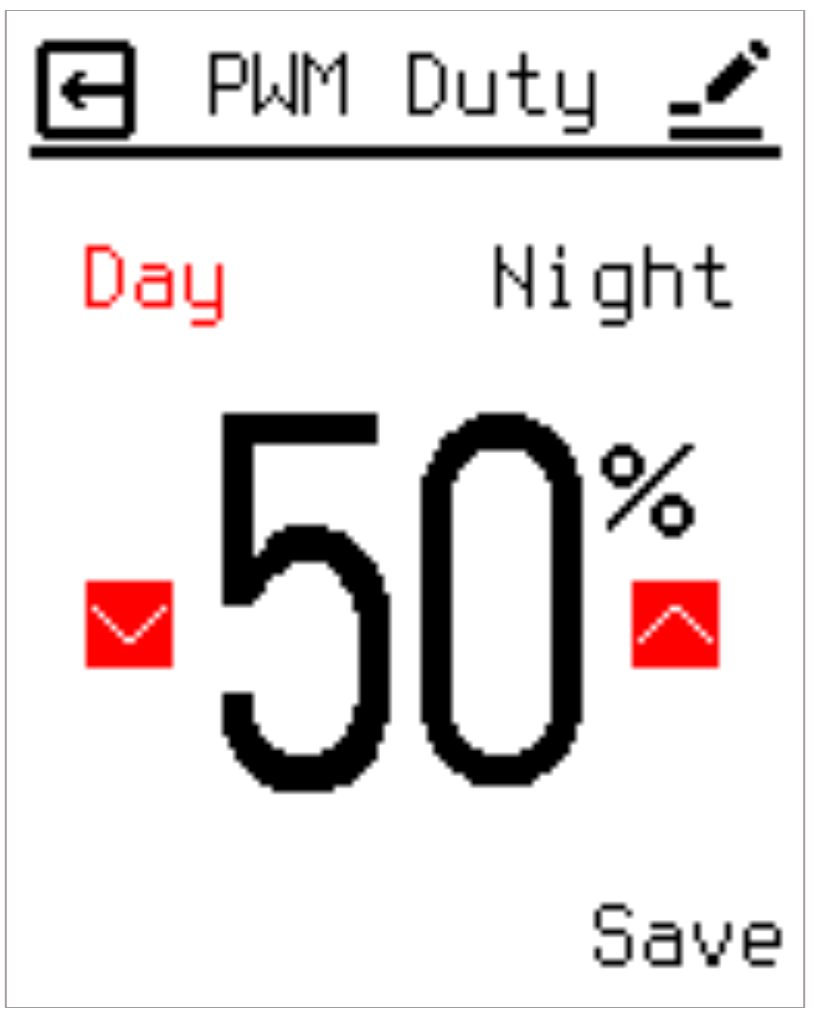
When operating in PWM Mode, the relay no longer references target temperature values for switching logic. Instead, it relies on a predefined PWM Duty cycle to dictate activation durations, framing operations strictly around time intervals. The system executes switching intervals based on a 20-minute cycle block. For example, a 50% PWM Duty setting instructs the relay to engage for 10 minutes and disengage for 10 minutes. Operation in PWM mode remains subject to external conditions, including high/low protection limits and window open detection. When enabled, the main interface updates to display the PWM mode wave icon.
2.6 Heating Schedule
When Schedule Mode is selected, operations follow the parameters defined within the Heating Schedule. The thermostat supports separate Workday and Restday schedules, with each profile supporting up to six distinct time periods (P1 to P6).
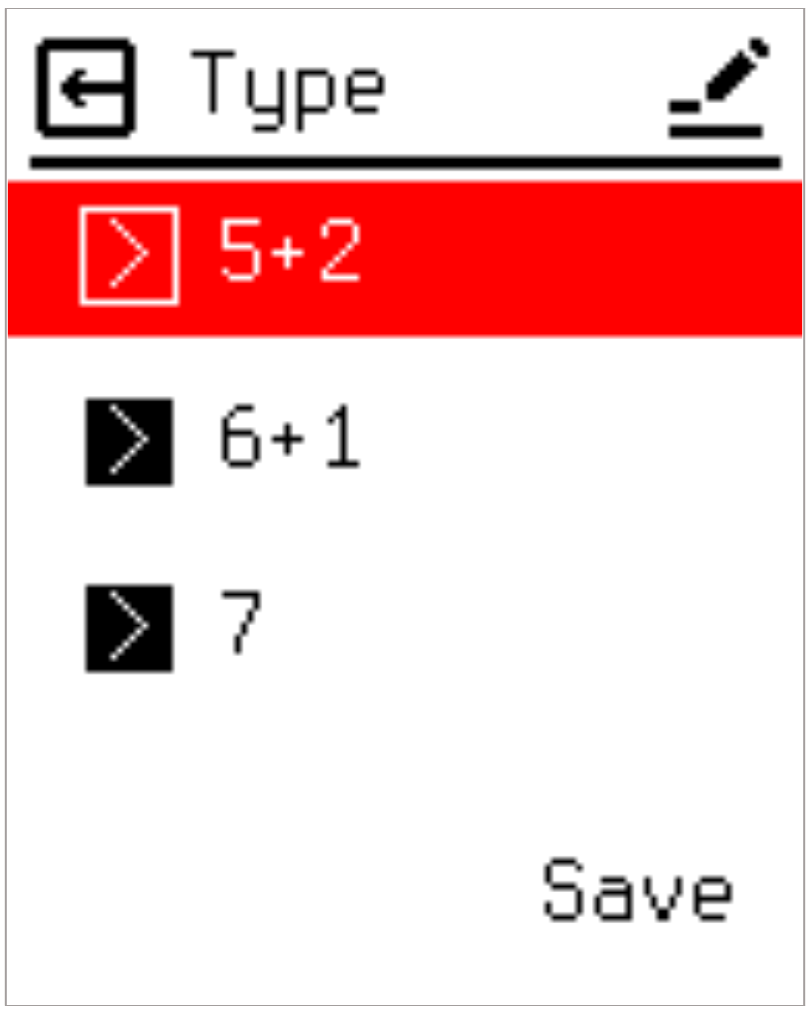
2.6.1 Program Type Definitions
Three configurations are available to define the weekly cycle:
- 5+2 Mode: Designates Monday through Friday as workdays (following Workday Settings) and Saturday and Sunday as rest days (following Restday Settings).
- 6+1 Mode: Designates Sunday as the sole rest day, with Monday through Saturday operating under workday parameters.
- 7 Mode: Disables weekly differentiation; all calendar days execute identical parameters mapped to the Workday Setting profile.
2.6.2 Workday Setting
Defines target temperatures and operational toggles for each period on working days.
2.6.3 Restday Setting
Defines target temperatures and operational toggles for each period on rest days.
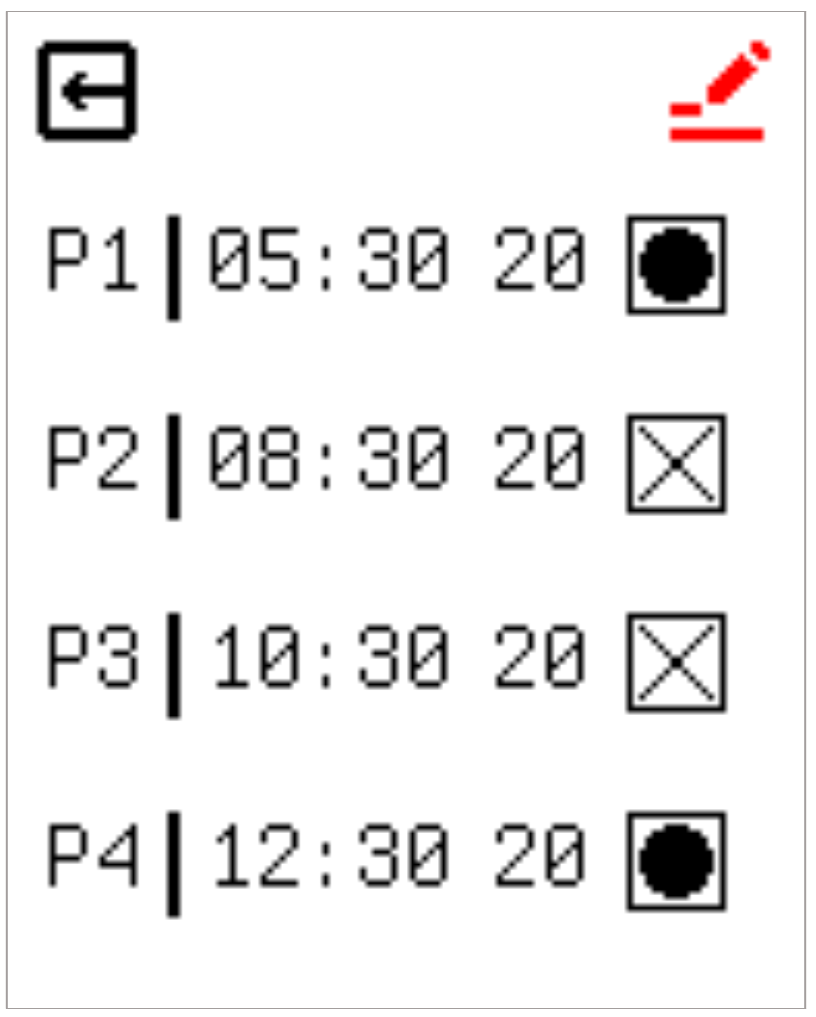
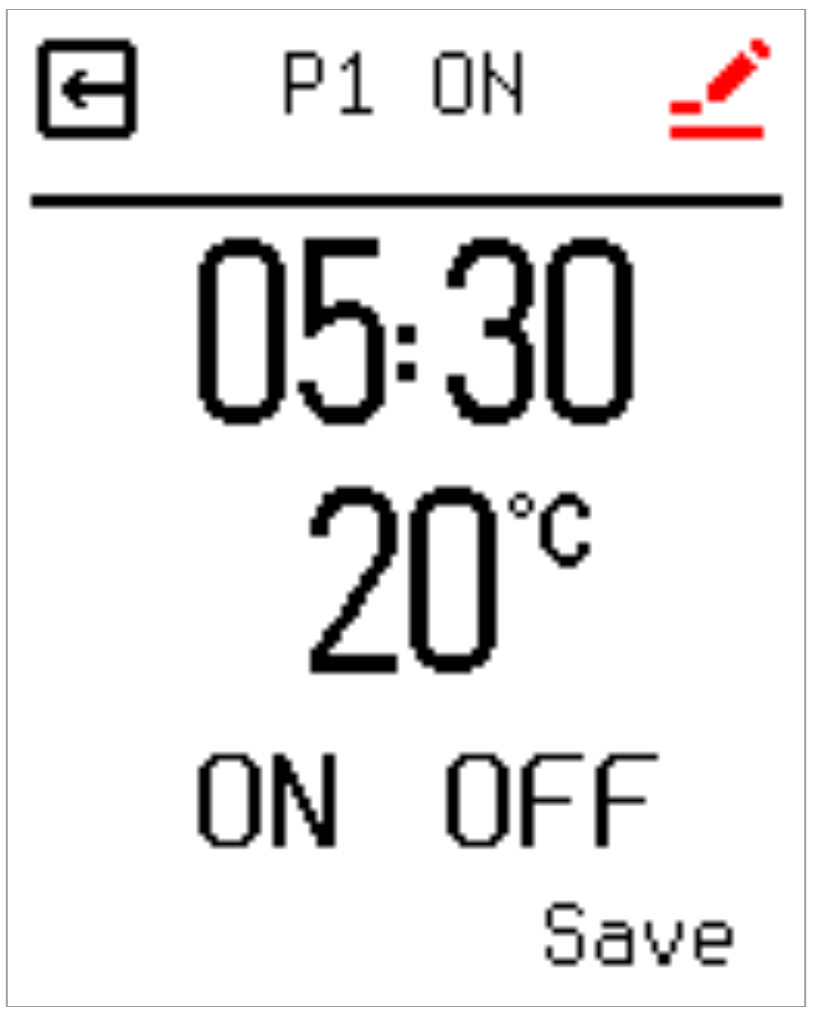
An "✕" icon or corresponding indicator on the right side of a period list denotes that heating output is disabled during that specific time frame.
2.7 Control Parameter Settings (Control Adjustment)
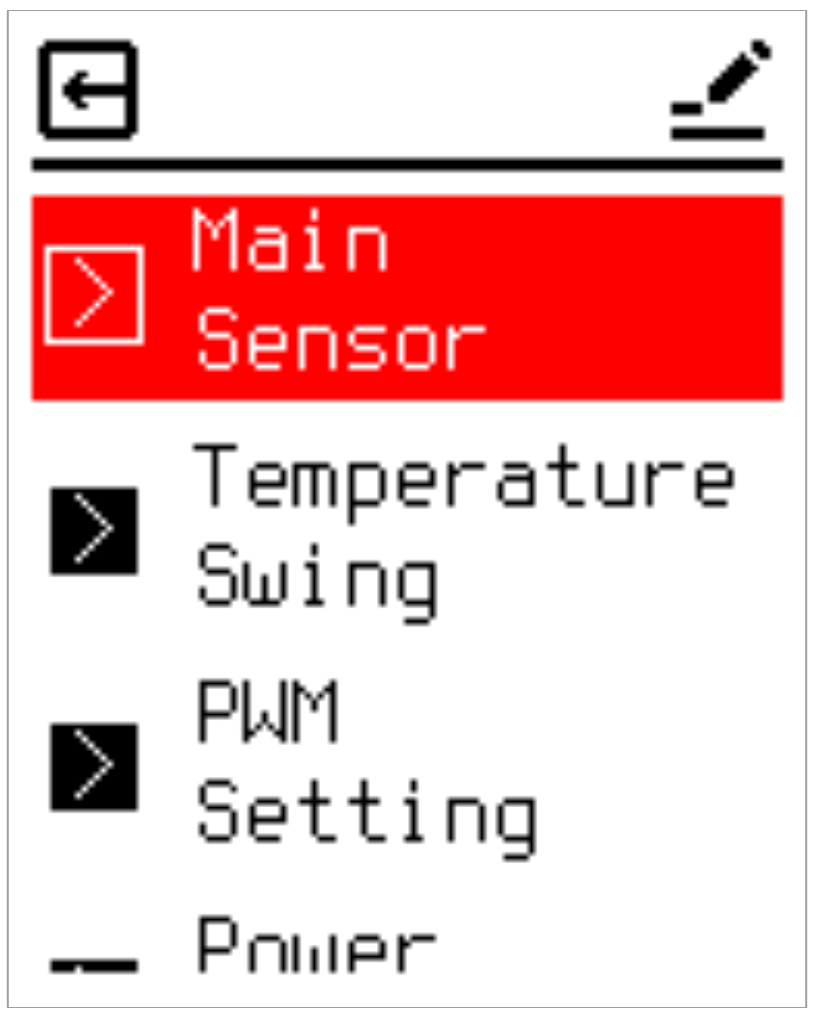
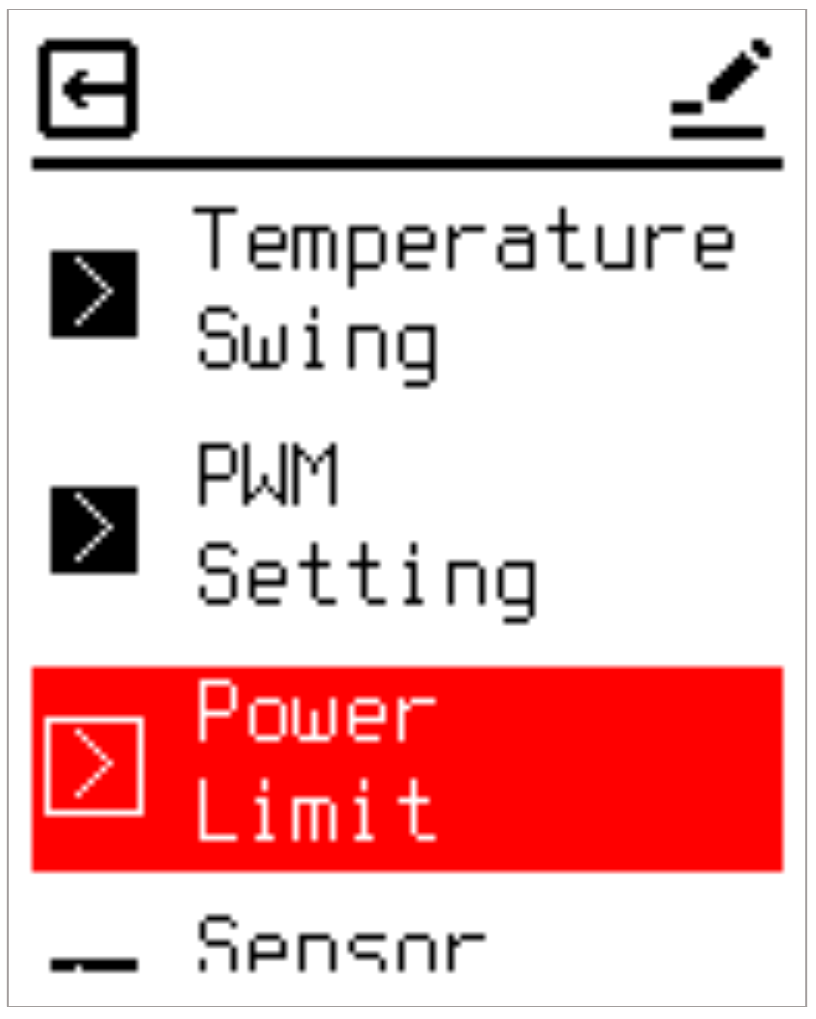
The Control Adjustment menu contains eight parameters to optimize system performance:
2.7.1 Main Sensor Selection
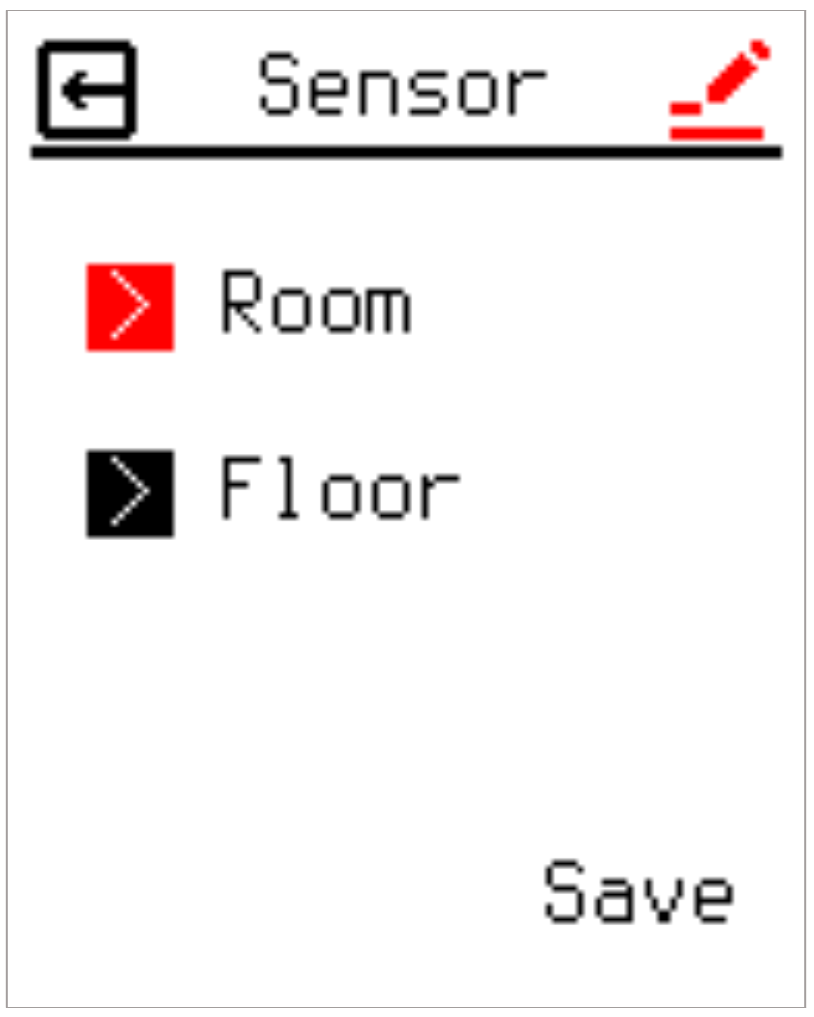
This option allows you to choose which sensor is used to control the heating system. Options include "Room" and "Floor". When set to Room, the system monitors the internal NTC; if the target temperature exceeds the internal NTC reading, the relay engages to supply power. When set to Floor, the system shifts its control reference to the external NTC probe.
2.7.2 Temperature Swing (Hysteresis Differential)
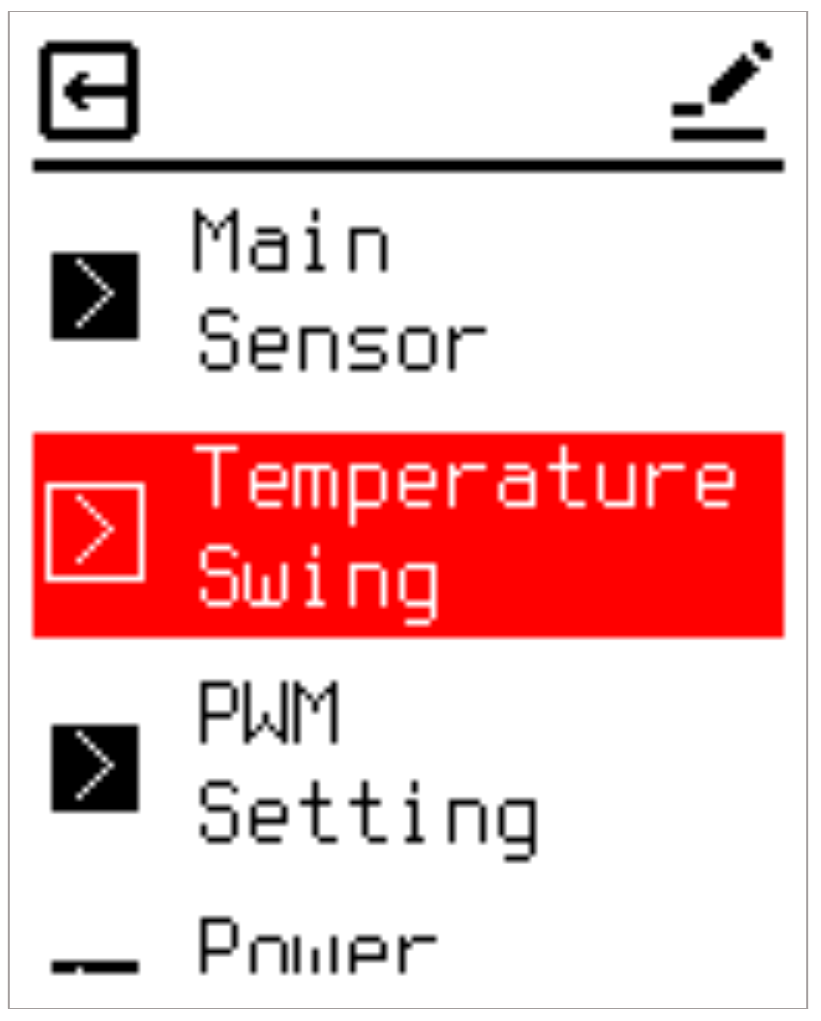
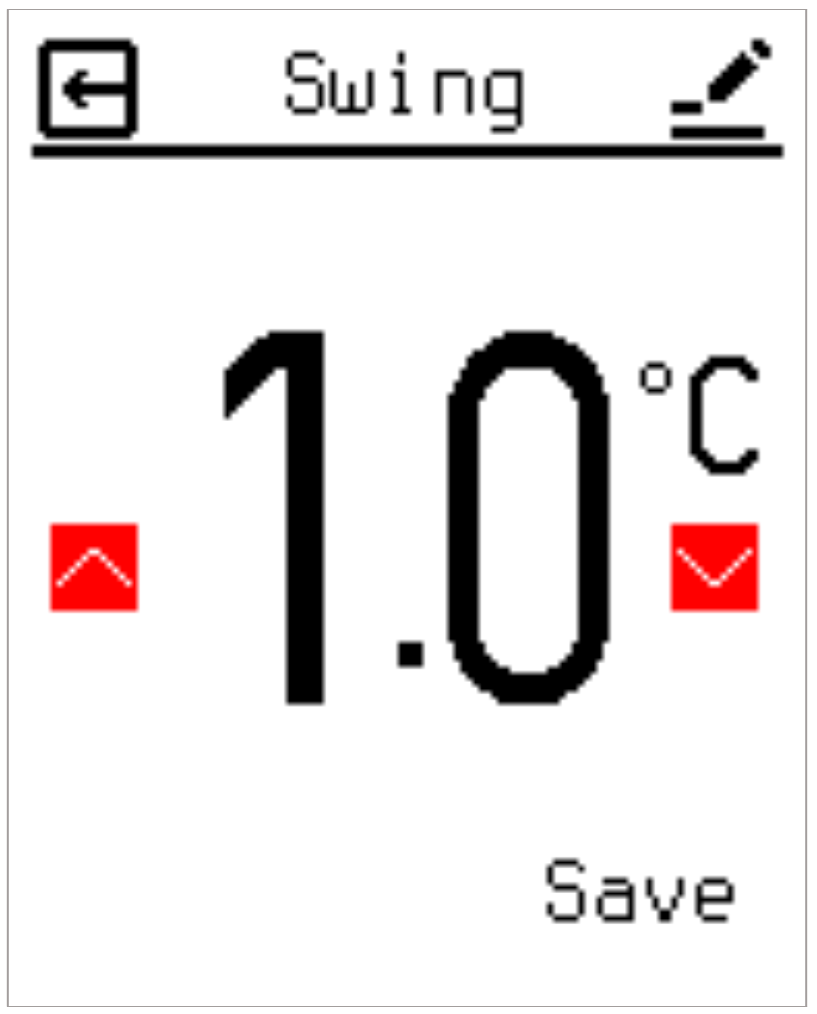
Sets the temperature switching deadband differential. Providing a deadband buffer protects the internal relay components from rapid, repetitive switching cycles, significantly extending hardware longevity. The adjustment range spans 0.5 °C to 3.0 °C in steps of 0.5 °C.
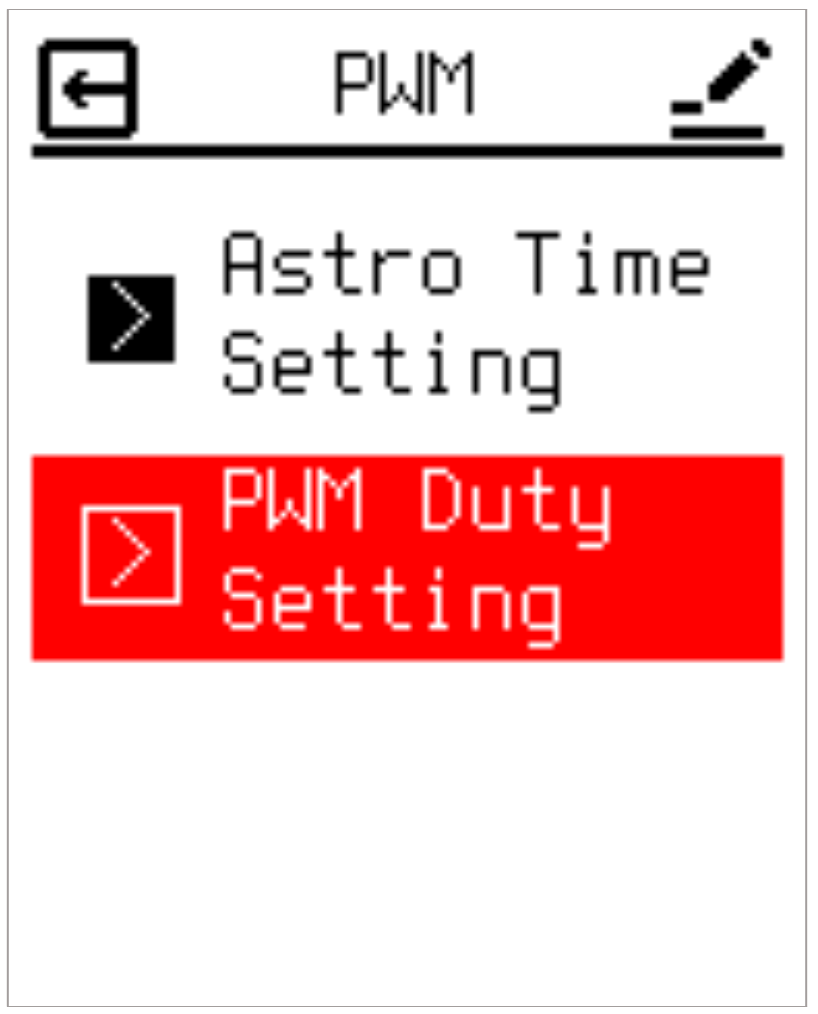
2.7.3 PWM Setting
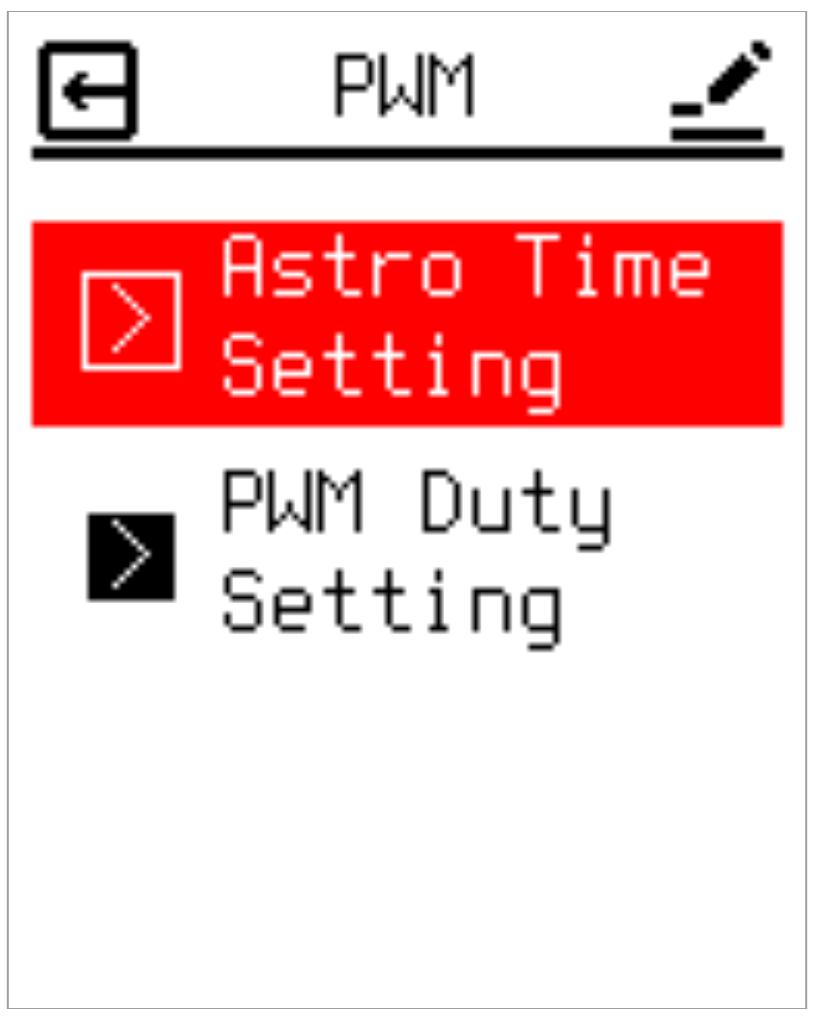
Configures two primary parameters for PWM operational mode: the PWM Duty percentages and the Astro Time settings that define the day/night switching boundary. The device supports distinct day and night PWM Duty profiles to match varying energy needs throughout a 24-hour cycle.
2.7.3.1 Astro Time Setting
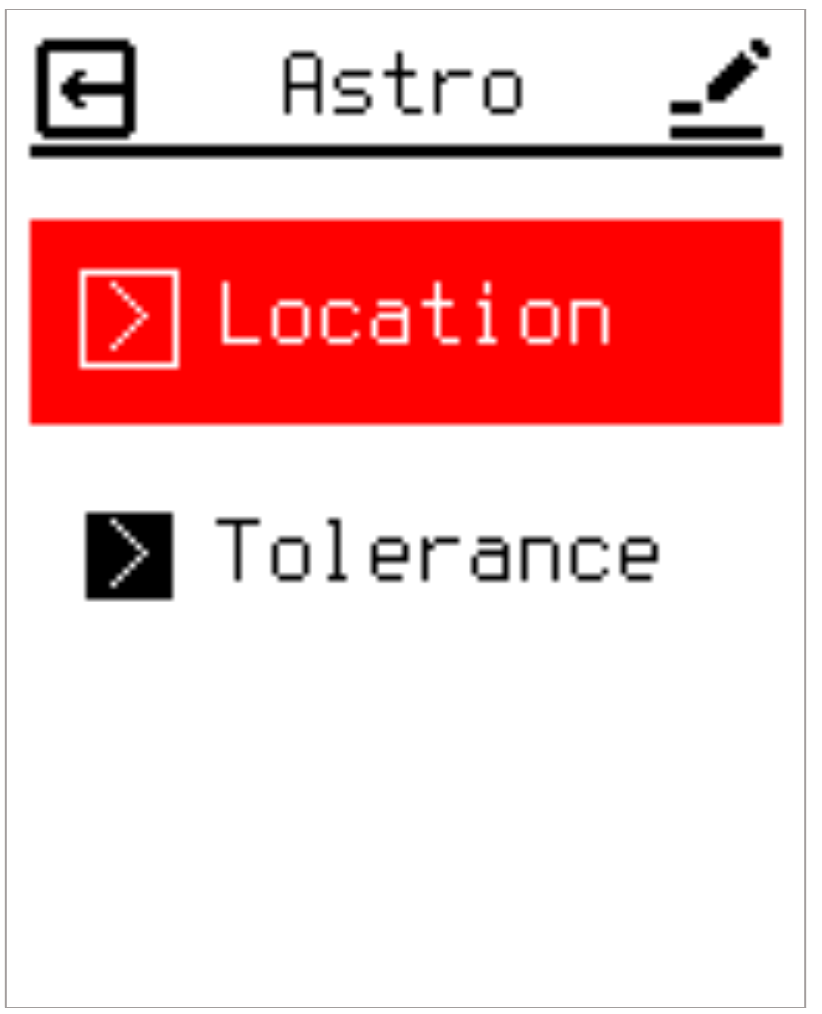
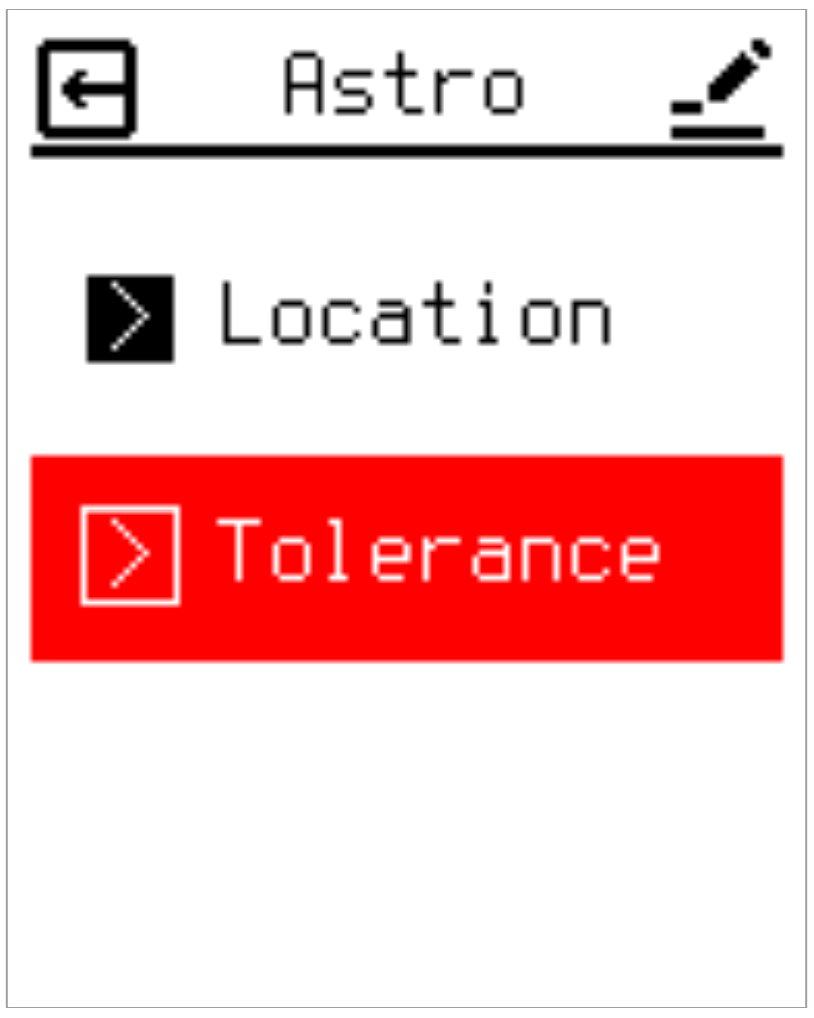
Entering the Astro Time Setting page presents two options: Location and Tolerance.
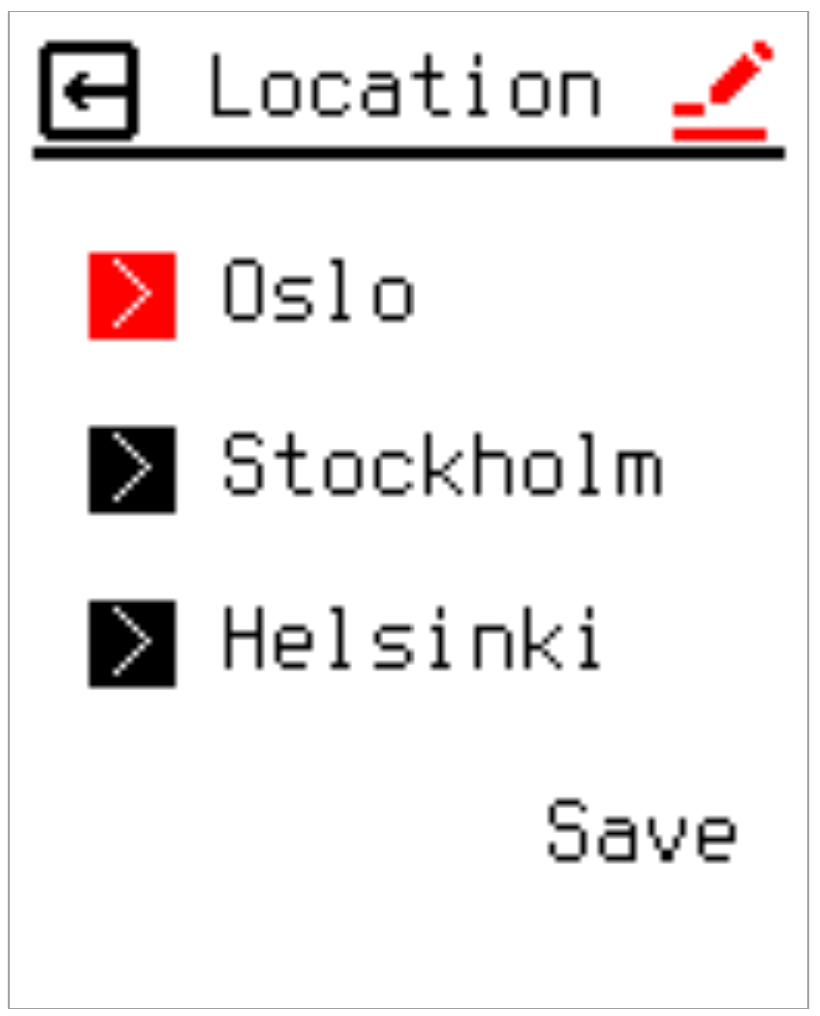
Location lets you choose the reference city closest to where the thermostat is installed. Three preset cities are available: Oslo, Stockholm, and Helsinki. The selected city's daily sunrise and sunset times are used as the Astro Time reference.
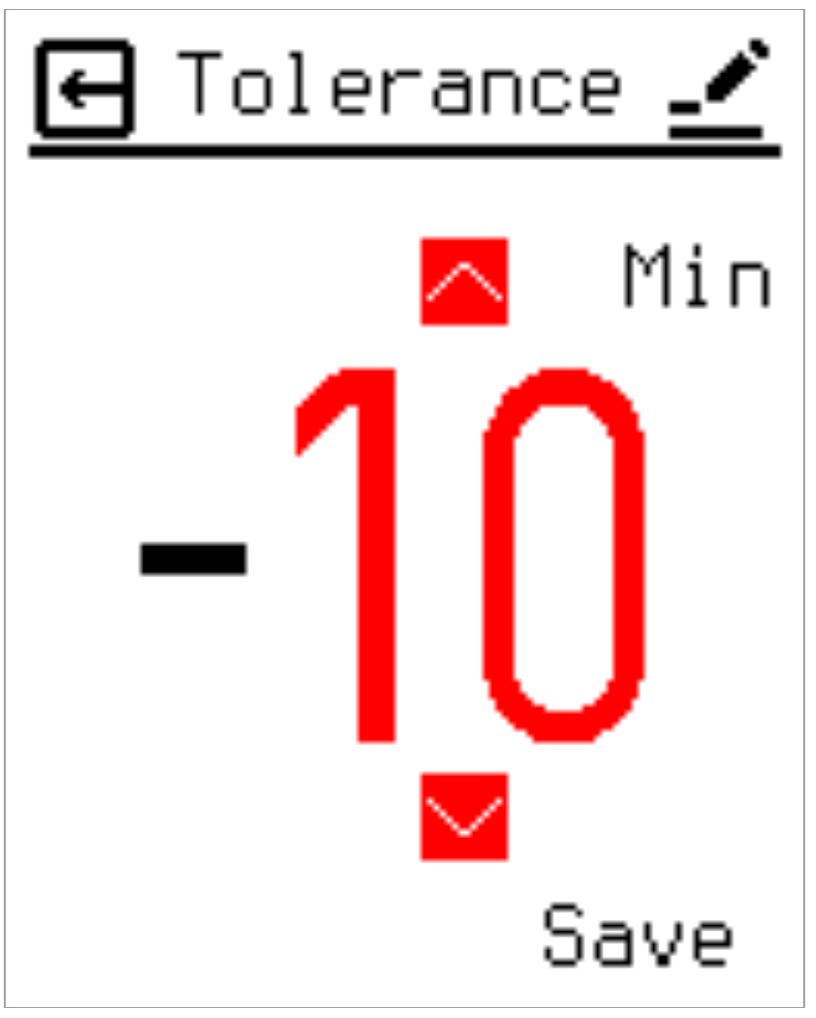
Tolerance lets you set an offset, in minutes, between the reference city's sunrise/sunset time and the actual time the PWM Duty changes. The Tolerance value can be set within a range of -120 to +120 minutes. For example, if Oslo is selected as the Location and the Tolerance is set to -10, and Oslo's sunrise on a given day is 06:10, the PWM Duty will switch at 06:00 (06:10 - 10 minutes).
2.7.3.2 PWM Duty Setting
PWM Duty Setting allows users to set different heating cycles for Day and Night. This allows users to adjust the heating cycle according to their actual needs to save energy.
2.7.4 Output Power Limitation (Power Limit)
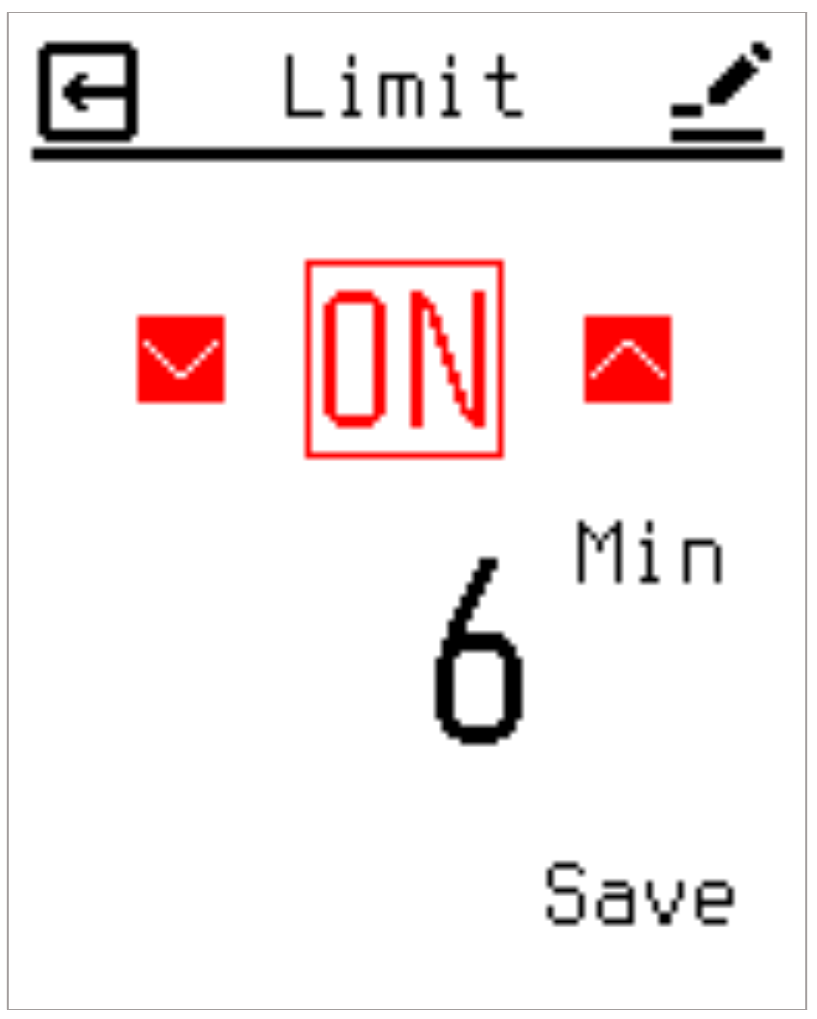
Designed to restrict the thermostat's cumulative continuous output. This feature is crucial for vulnerable floor coverings, such as hardwood, which are susceptible to warping or discoloration if localized heat accumulates under objects like rugs or bean bags. This option is disabled by default. When enabled, users define a forced off-period duration per hour (ranging from 1 to 30 minutes). For example, a 6-minute setting means the system enforces a cumulative 6-minute shutdown every hour, spreading it across three 2-minute cooling intervals mapped to the 20-minute operational cycles.
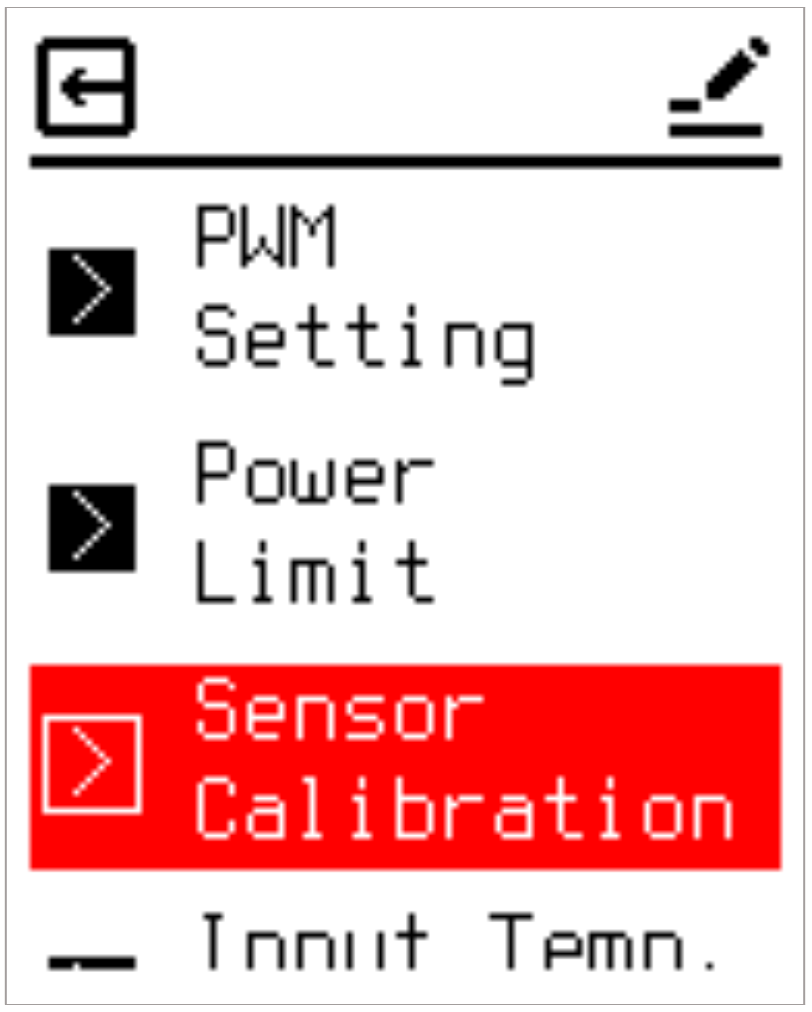
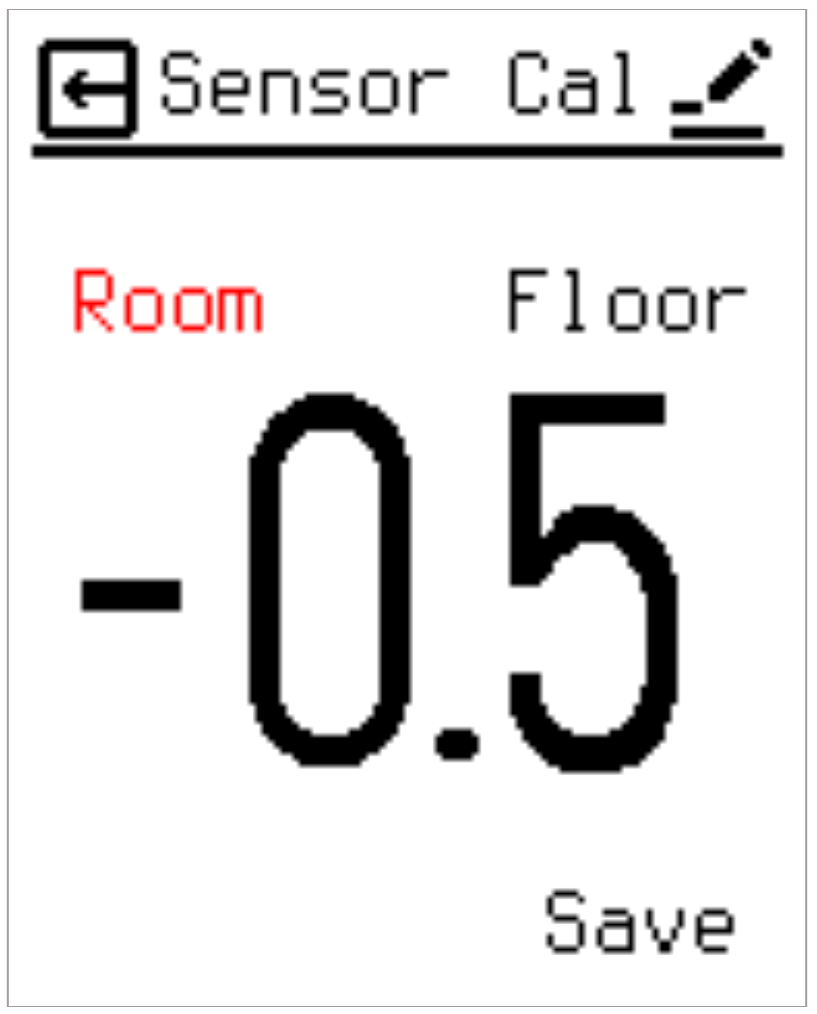
2.7.5 Sensor Calibration
Provides an offset mechanism to align screen readouts with actual user-perceived room temperatures. While all units undergo factory calibration, environmental positioning (e.g., placement on an exterior wall) can cause discrepancies. If the thermostat measures 20 °C but a user feels 18 °C near their living area, an offset of −2 °C can be applied. Calibration parameters for the internal (Room) and external (Floor) NTC sensors are fully independent and adjustable from −5.0 °C to +5.0 °C in 0.5 °C steps.
2.7.6 Input Temperature Limit
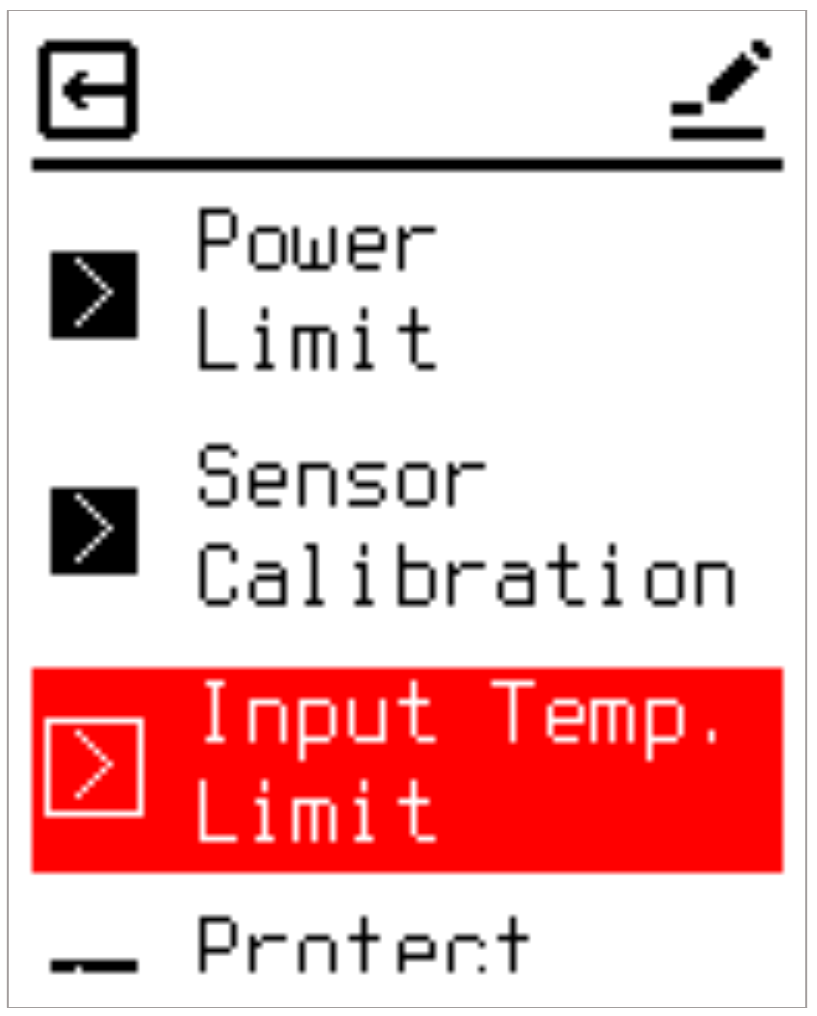
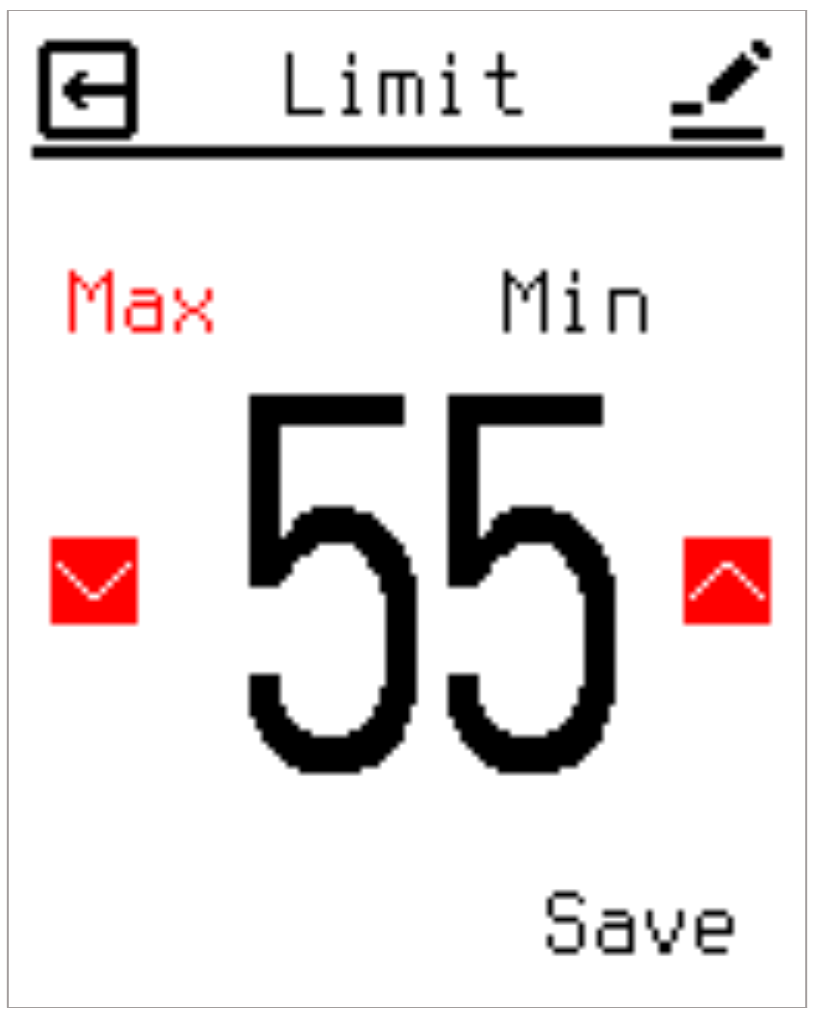
Restricts the minimum and maximum boundaries of user adjustments to eliminate safety hazards caused by accidental or unauthorized temperature inputs. Target temperatures configured in both Manual and Schedule modes must fall within these boundaries. The maximum limit is adjustable between 20 °C and 70 °C, and the minimum limit spans −15 °C to 10 °C. For example, setting the minimum input limit to 4 °C enforces a permanent floor frost protection baseline that cannot be accidentally lowered.
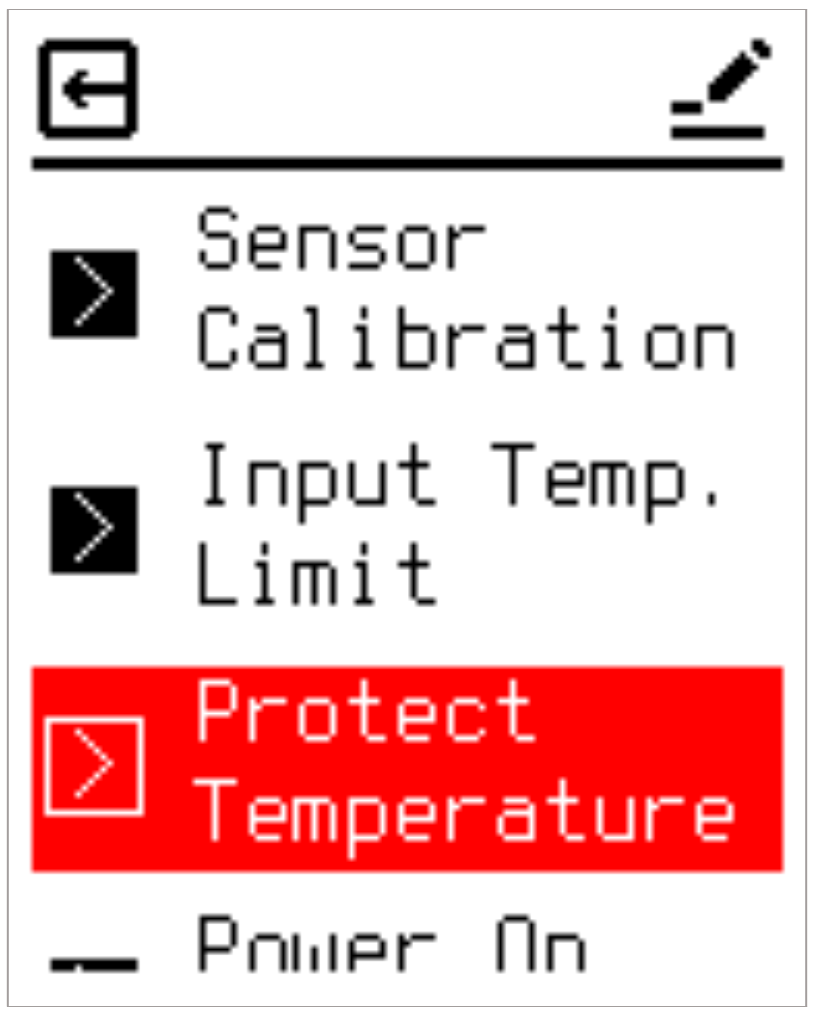
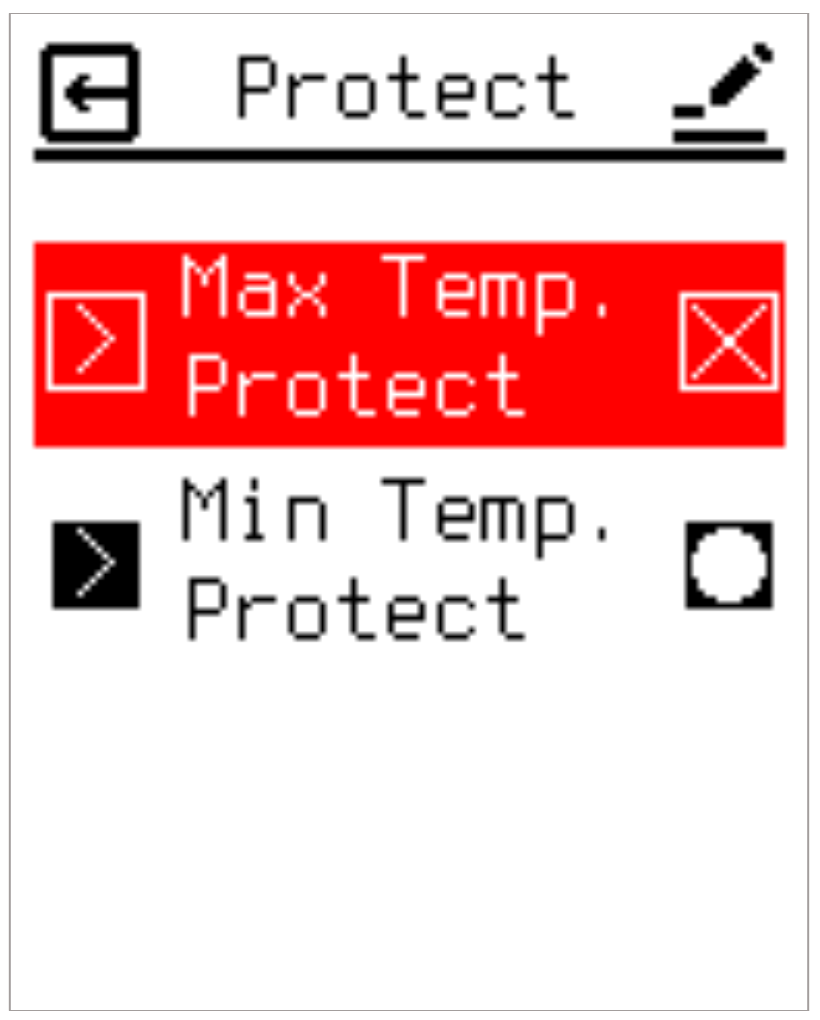
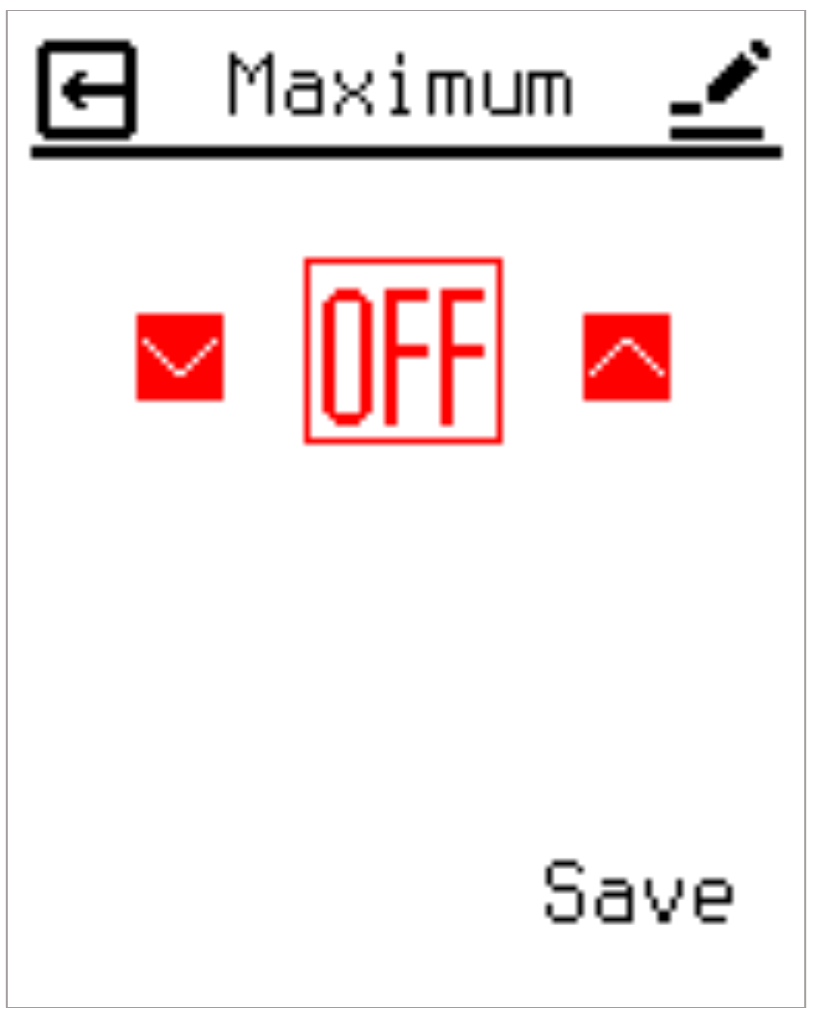
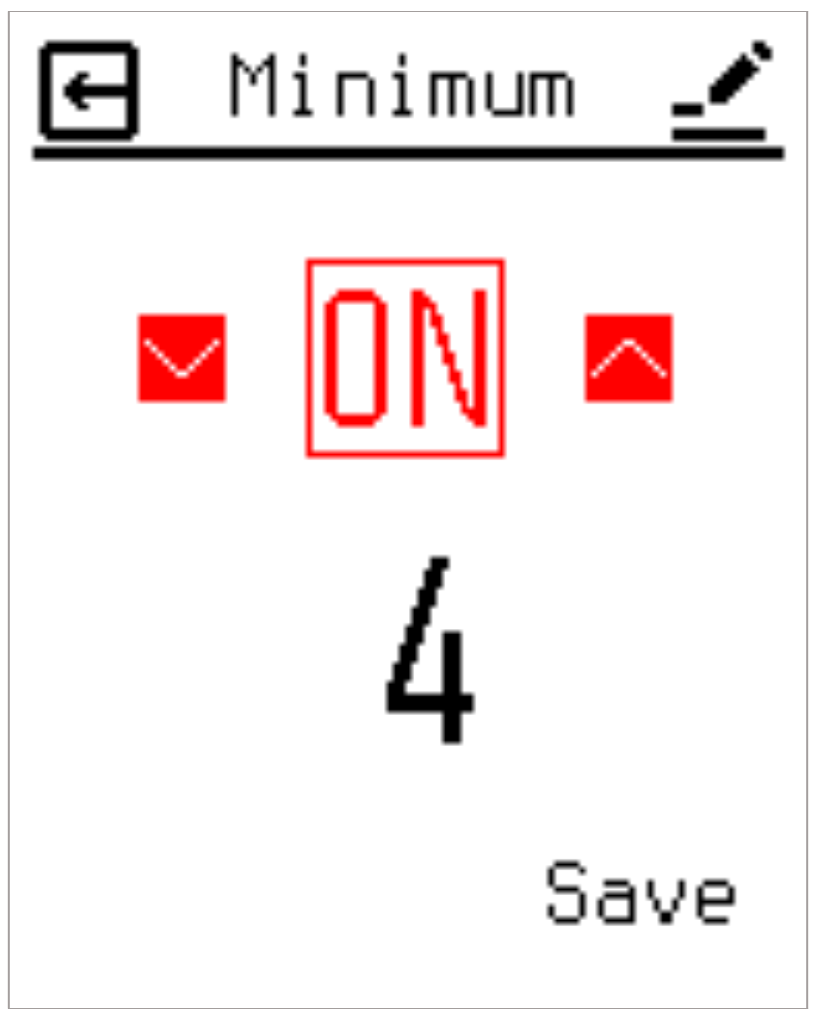
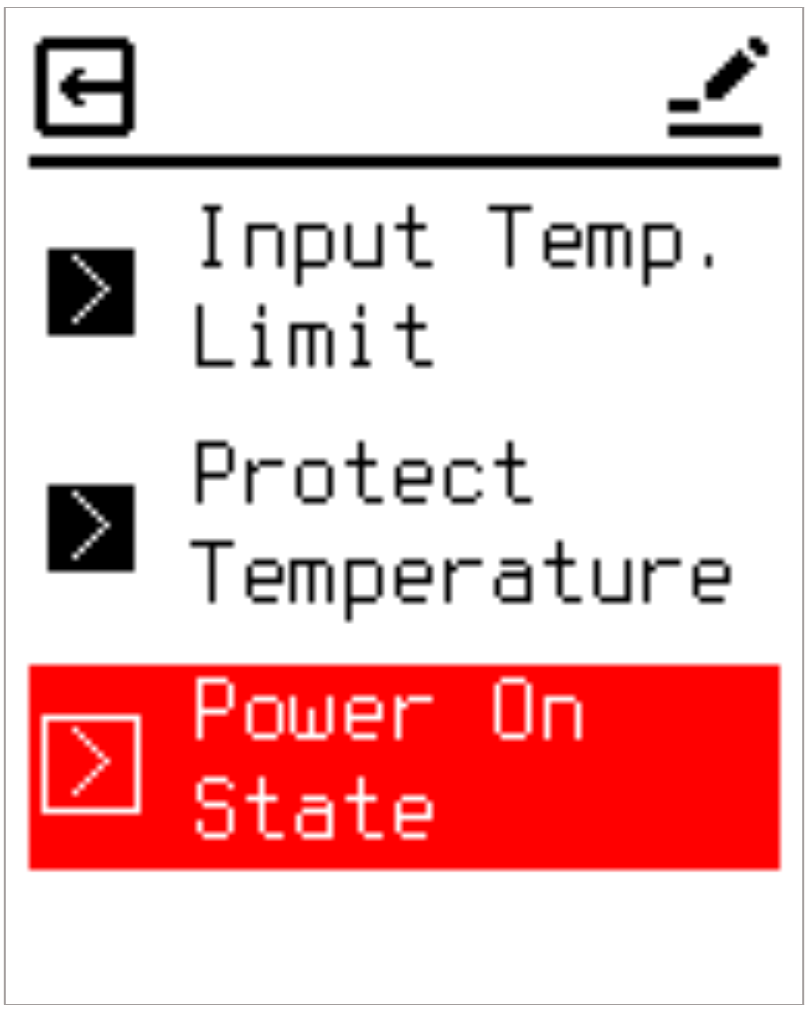
2.7.7 Protect Temperature Settings
Manages the high and low absolute hardware thermal safety limits, which can be configured or toggled independently. It is critical to note that all protection evaluations exclusively reference the external NTC probe readings, even if the primary control source is set to the internal room sensor. This constraint exists because internal ambient readings deviate significantly from actual floor structural temperatures, and the primary objective is floor structural preservation and pipe freeze prevention.
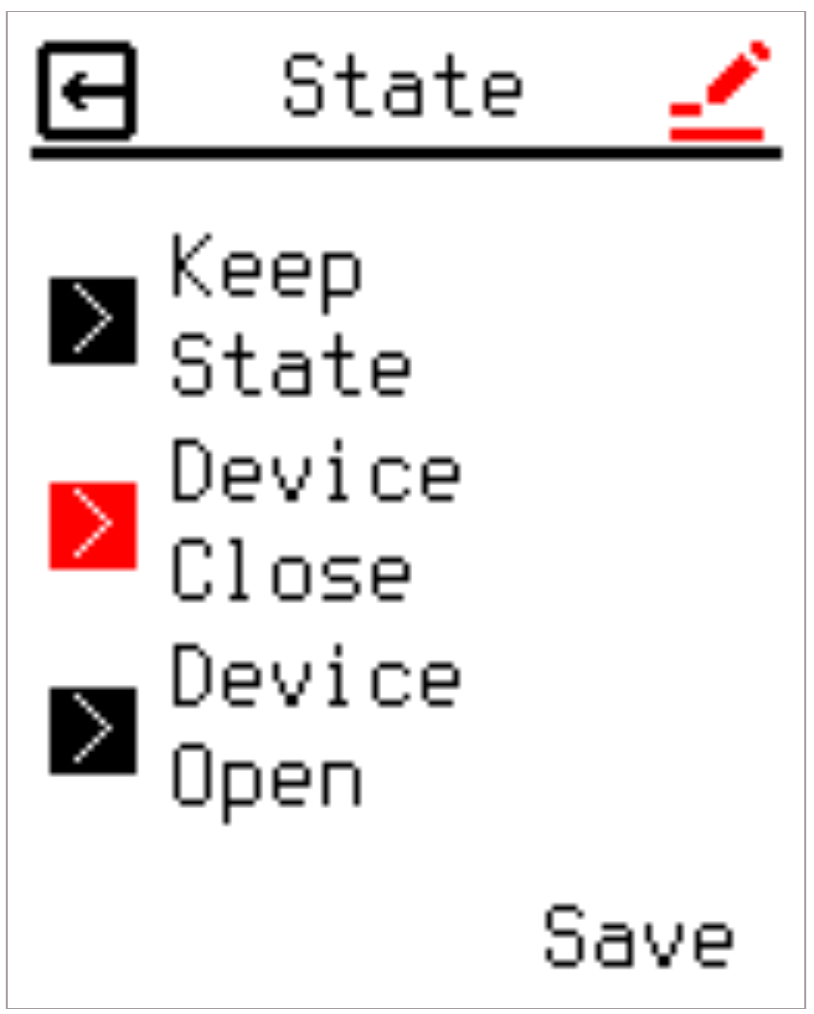
2.7.8 Power On State
Determines the default state of the heating relay during initial system power-up or reboot phases before raw internal or external NTC data has been completely sampled. Users can select from three options:
- Restore the previous state held prior to power loss.
- Force Relay Off.
- Force Relay On.
2.8 User System Settings (User Settings)
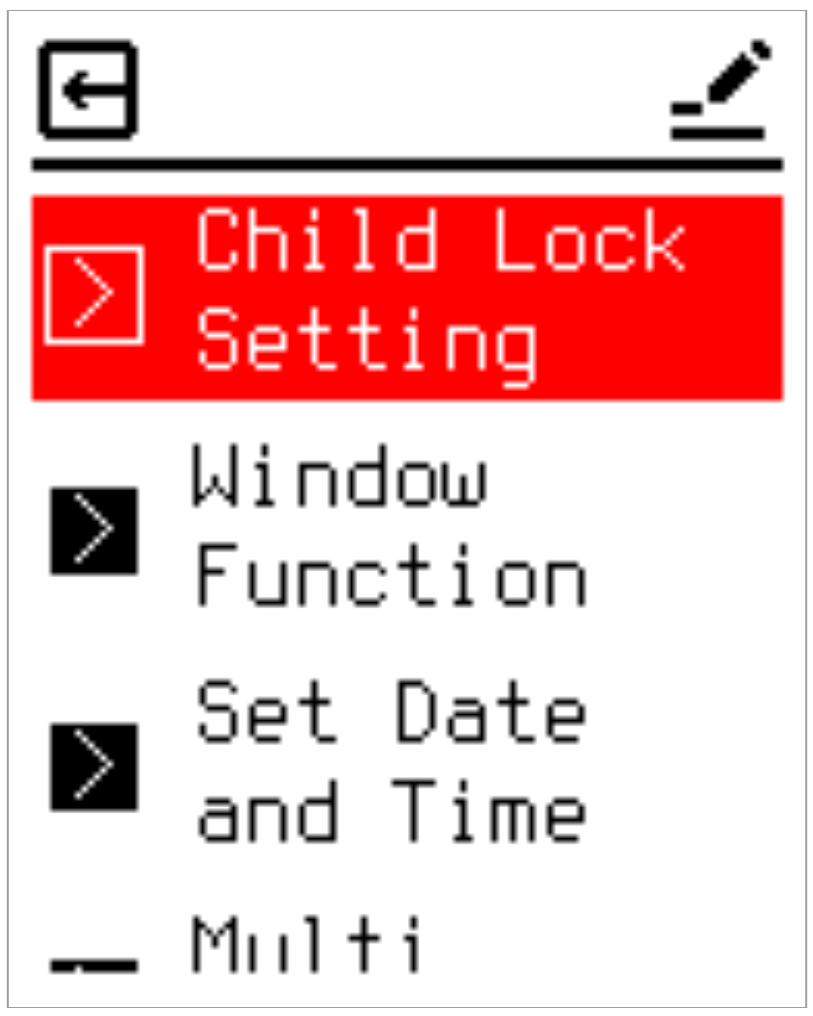
Provides seven user-accessible system management options:
2.8.1 Child Lock & PIN
Enables administrative restriction to prevent unauthorized setting modifications. When active, access to menus requires a 4-digit PIN code. Enabling the feature requires entering and confirming the PIN twice. Once activated, a lock icon appears on the main interface. The lock engages automatically upon entering Sleep Mode. Pressing any key thereafter prompts a PIN entry screen; incorrect attempts return the unit to Sleep Mode, blocking Active Mode access.
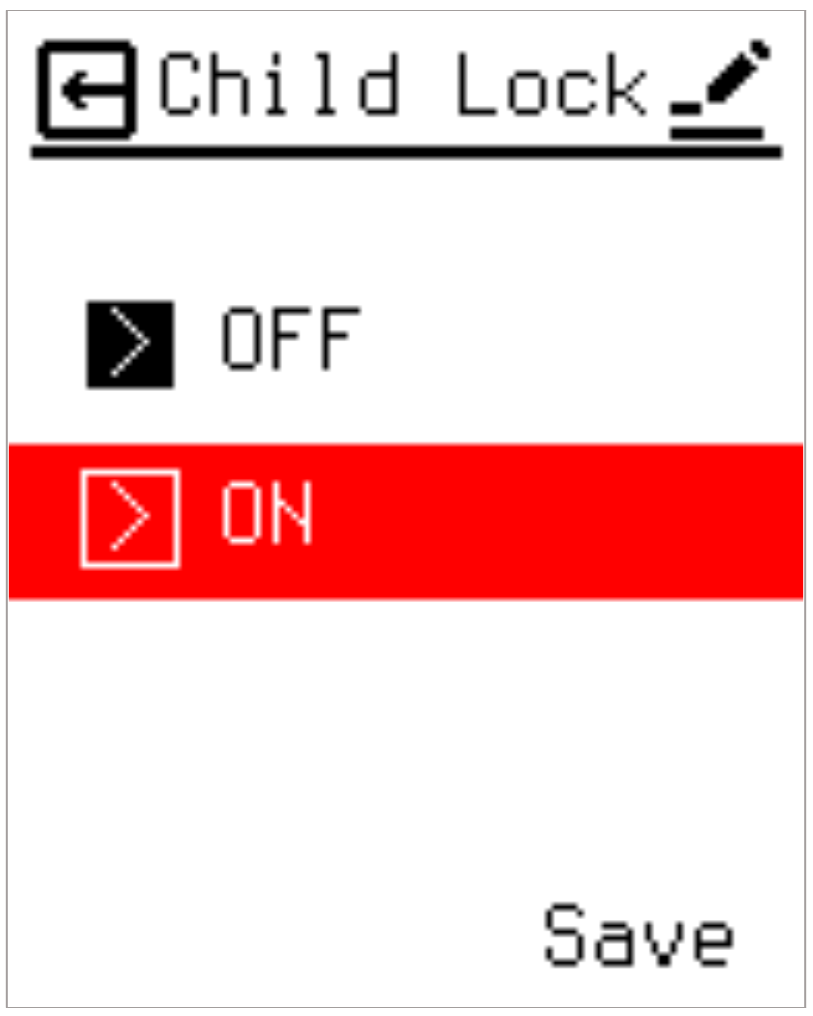
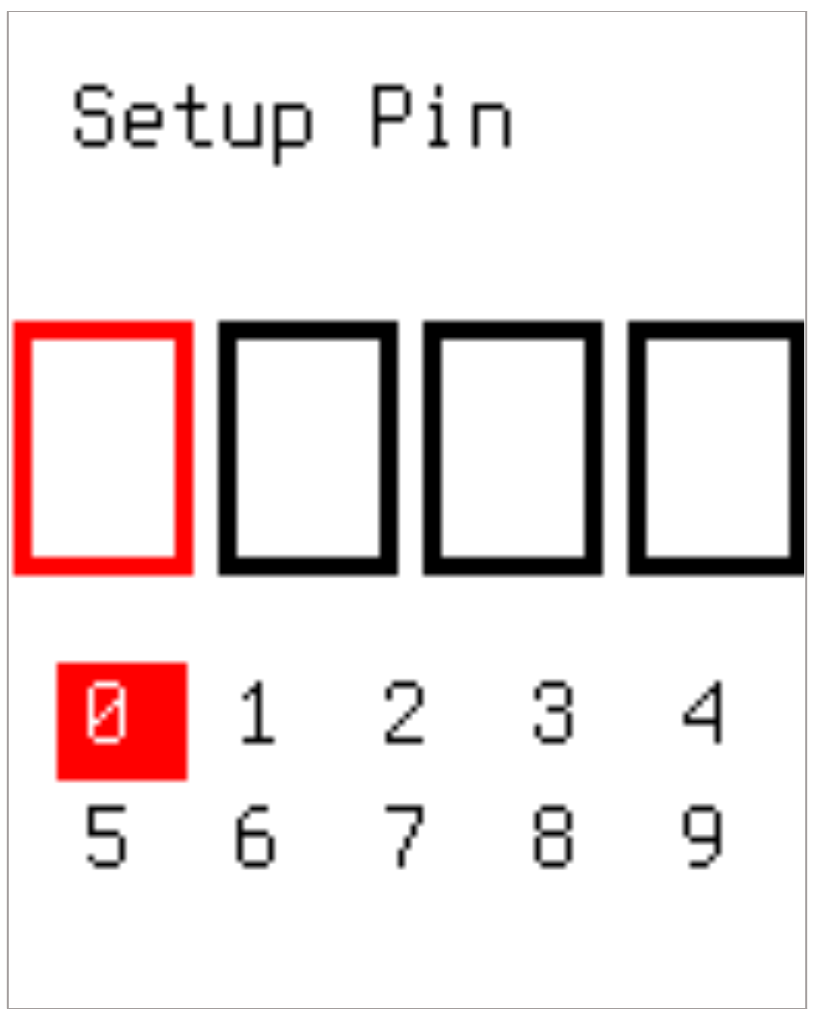
⚠️ Forgotten PIN: In the event of a forgotten PIN, a hardware bypass is provided. Simultaneously press and hold both the ▲ and ▼ keys for more than 5 seconds while in Sleep Mode to bypass directly to the Factory Reset menu.
2.8.2 Window Function (Window Open Detection)
Monitors rapid temperature drops, interpreting them as an open window or door, and suspends heating to prevent energy waste until manual intervention occurs. Enabling this function requires defining a temperature threshold and a tracking time window. If a temperature drop exceeding the threshold occurs within the specified timeframe, heating turns off, and a distinct notification appears on the screen.
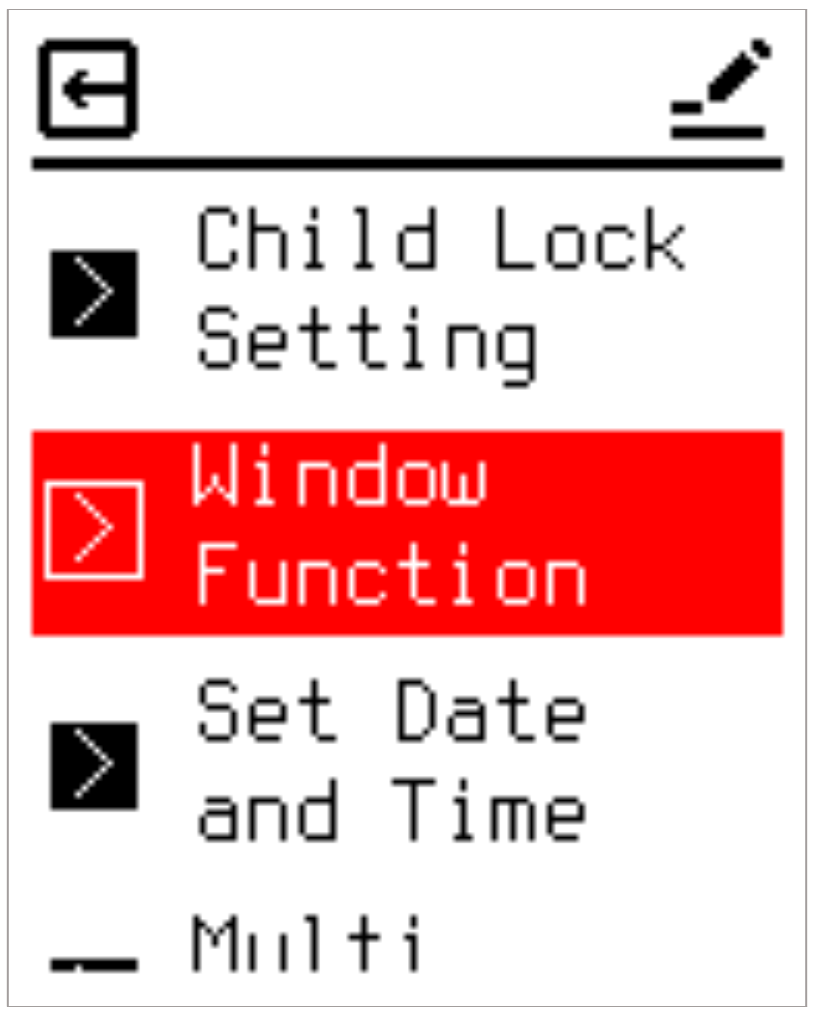
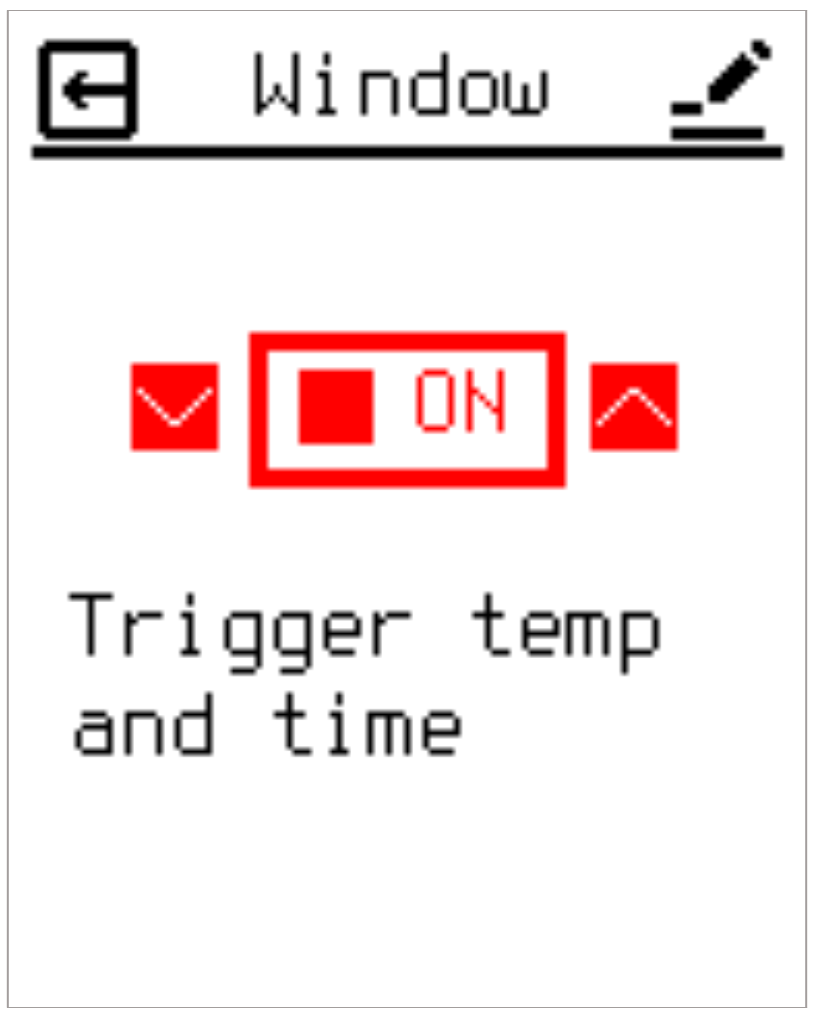
If the ambient temperature falls below the absolute lowest protection limit while suspended, the device overrides the lockout to maintain minimum frost protection safety levels.
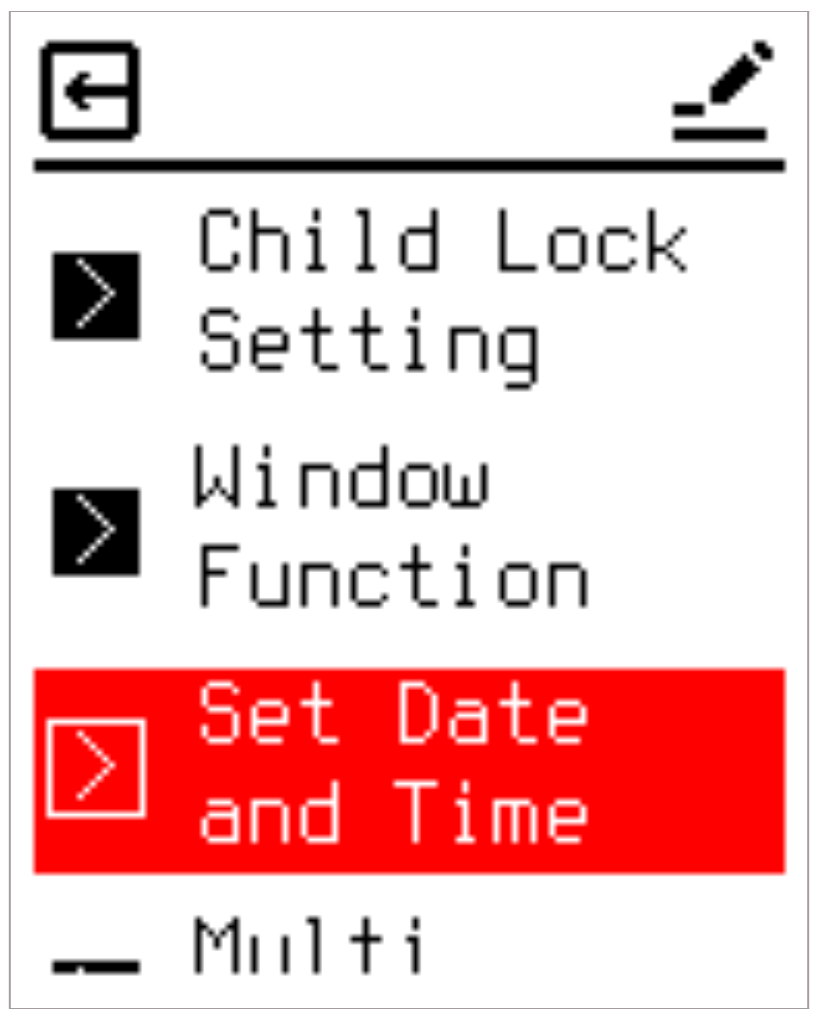
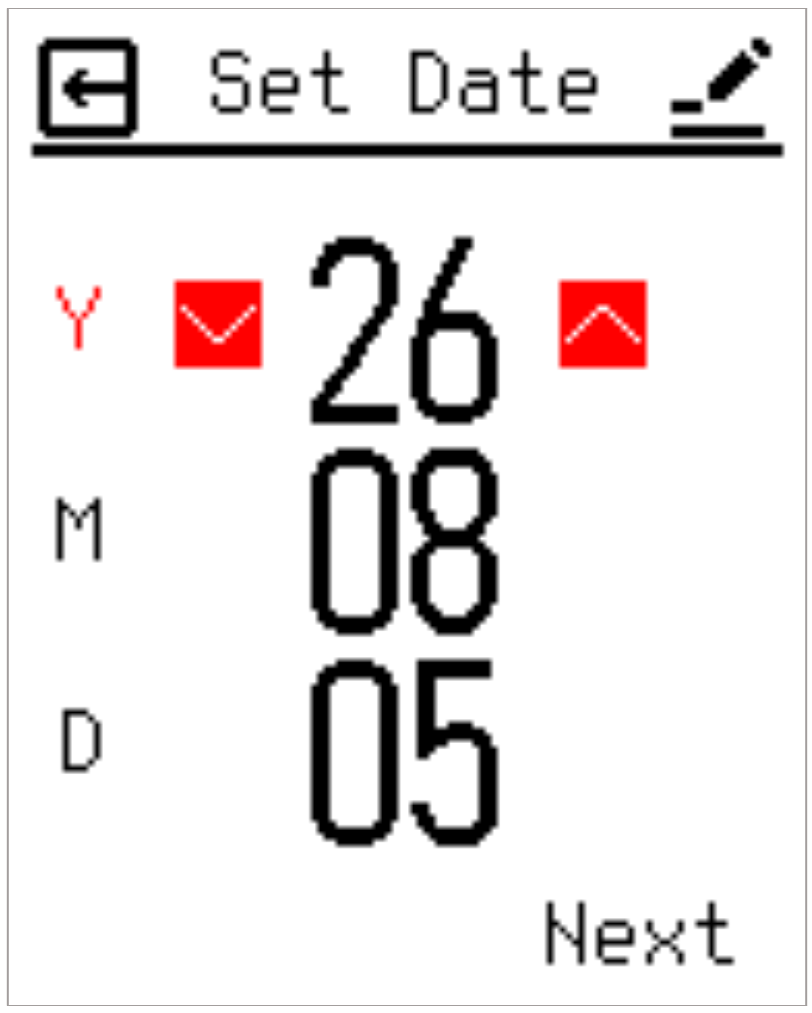
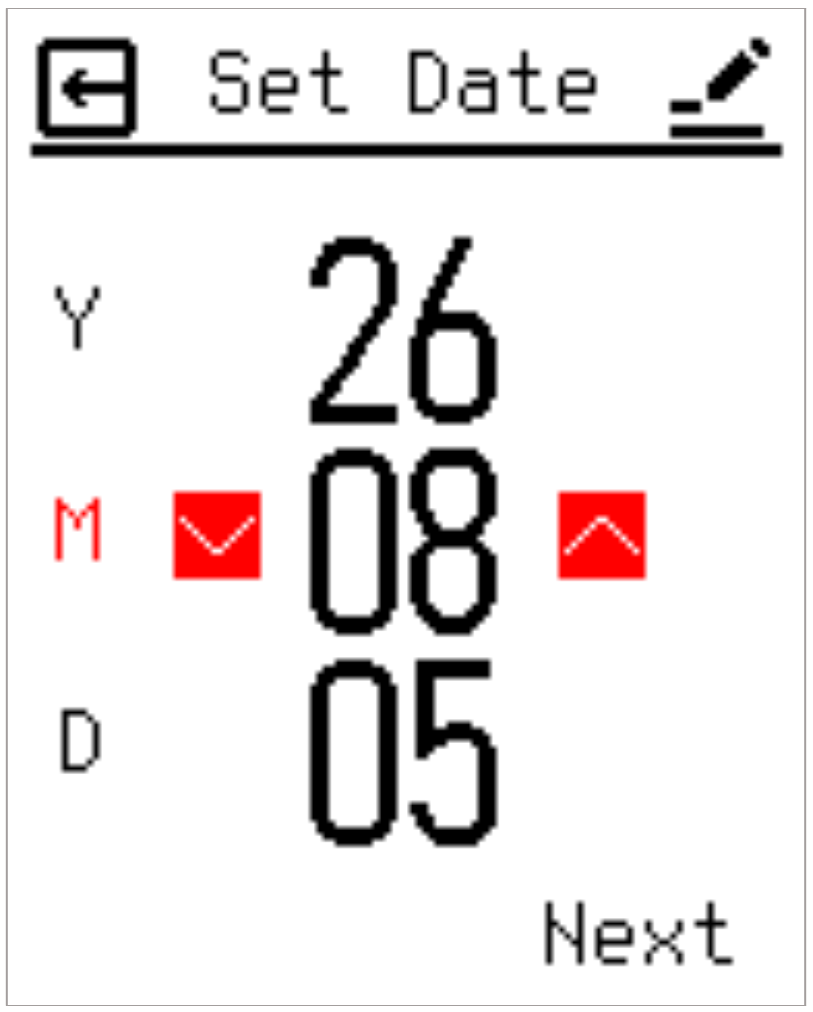
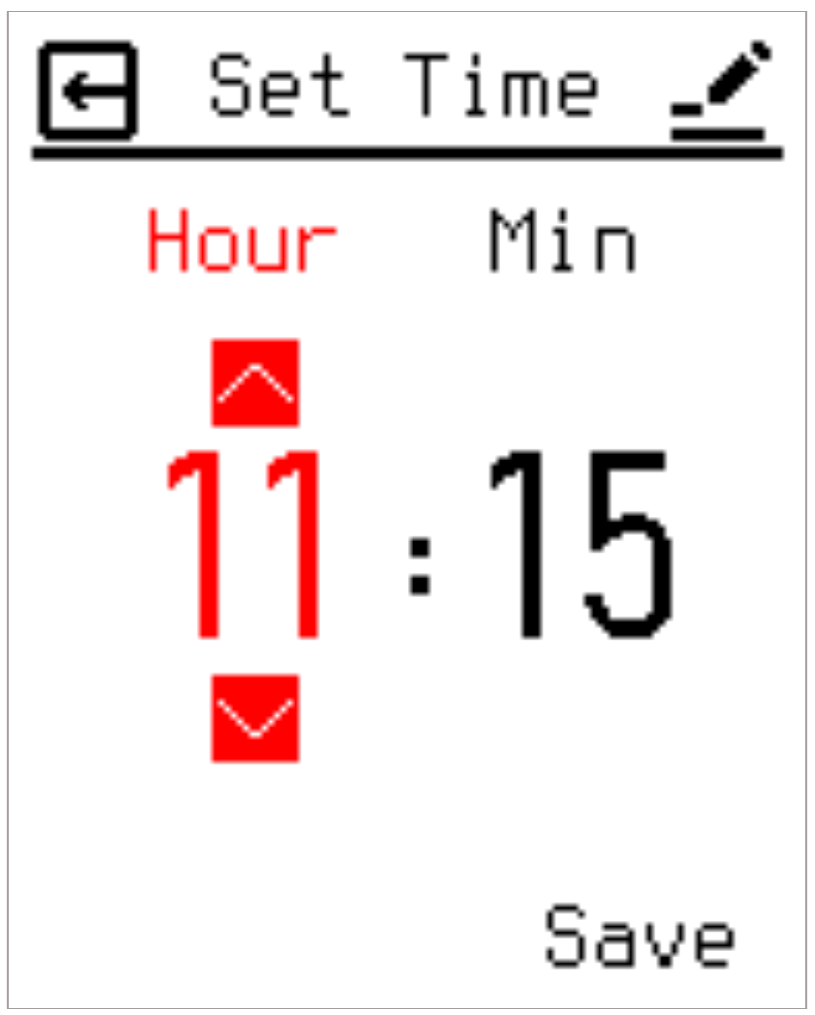
2.8.3 Set Time
Configures the current date and time required for accurate Heating Schedule execution. If a user attempts to activate Schedule Mode without an established time baseline, the system automatically redirects them to this configuration screen.
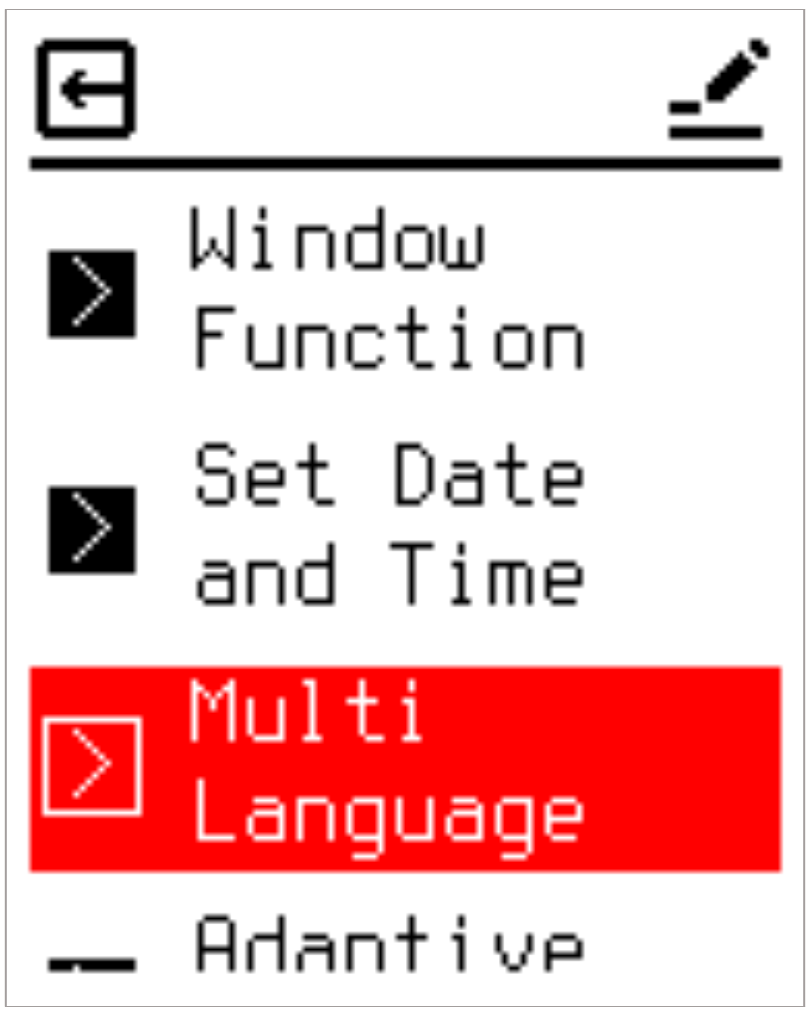
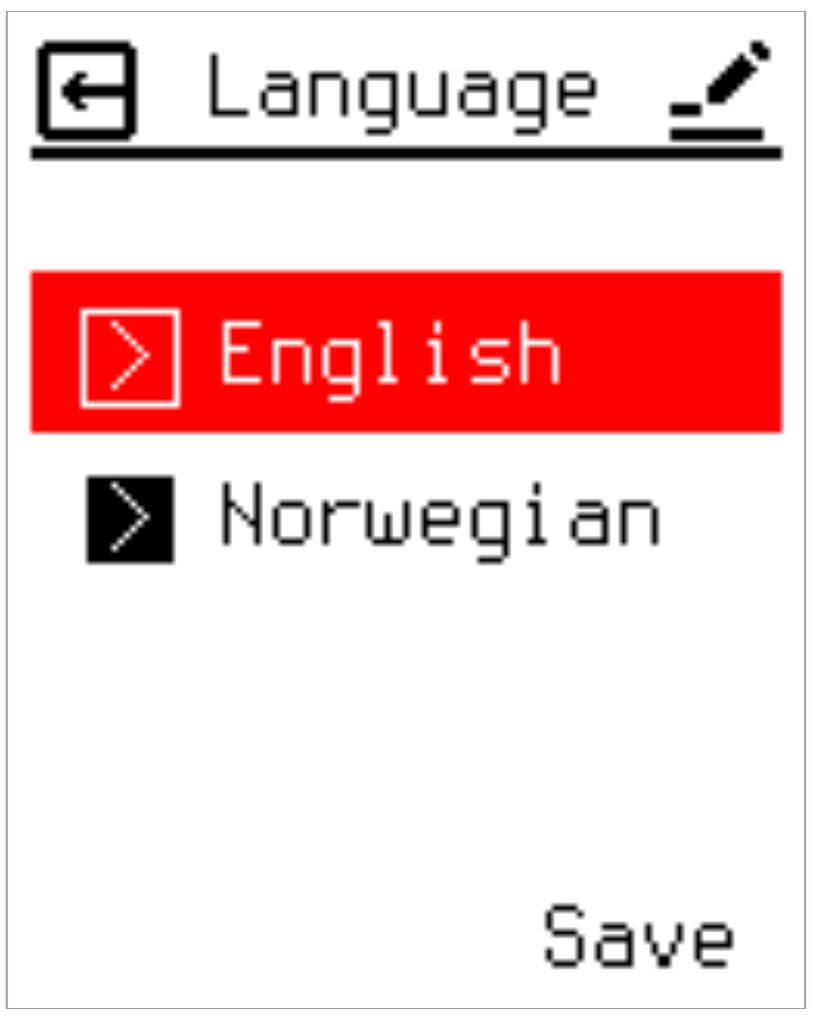
2.8.4 Language
Supports multilingual operation. Available languages include English and Norwegian.
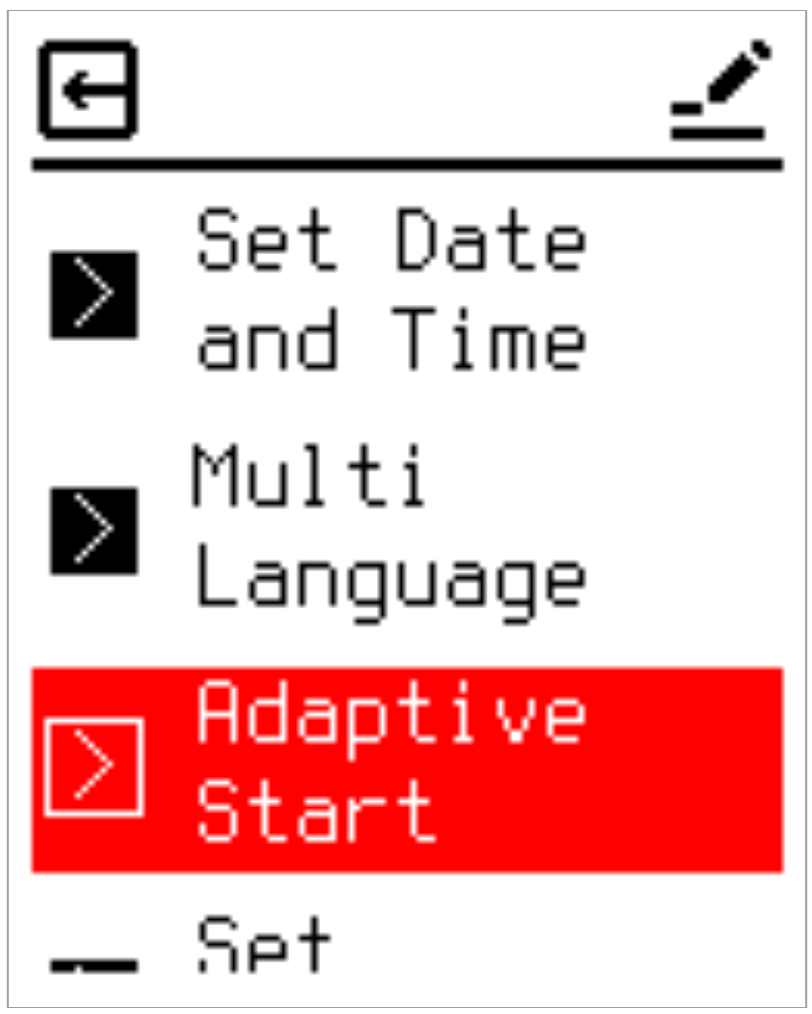
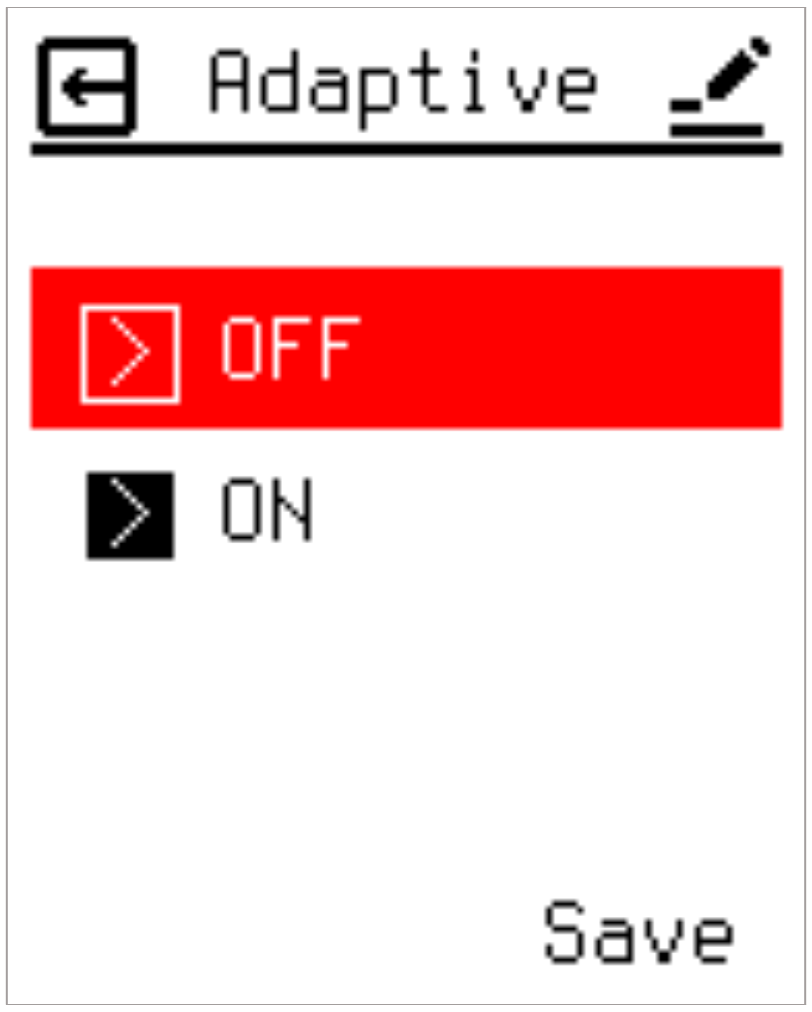
2.8.5 Adaptive Start
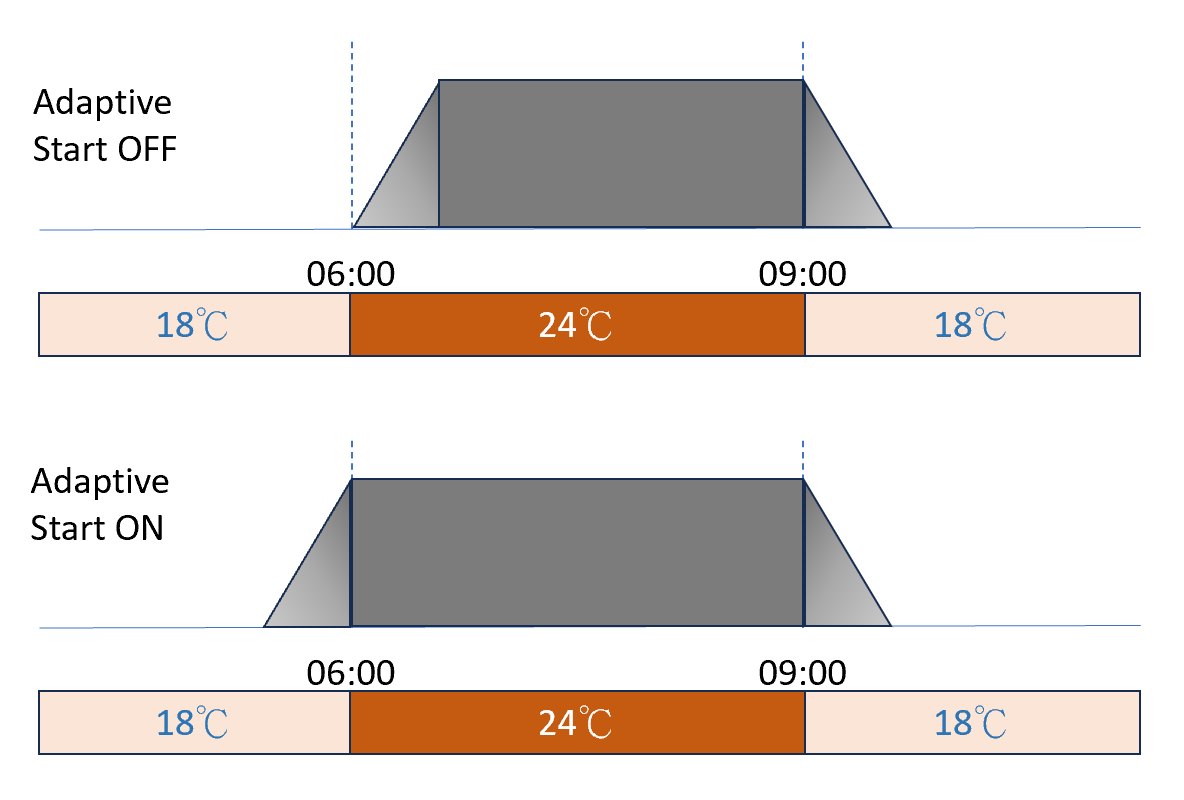
This setting allows you to enable the adaptive start function. After a few days, adaptive start will have automatically calculated how much earlier the heating must be turned on/off to reach the target temperature on time. See the illustrations below for adaptive start ON or OFF:
2.8.6 Set Backlight
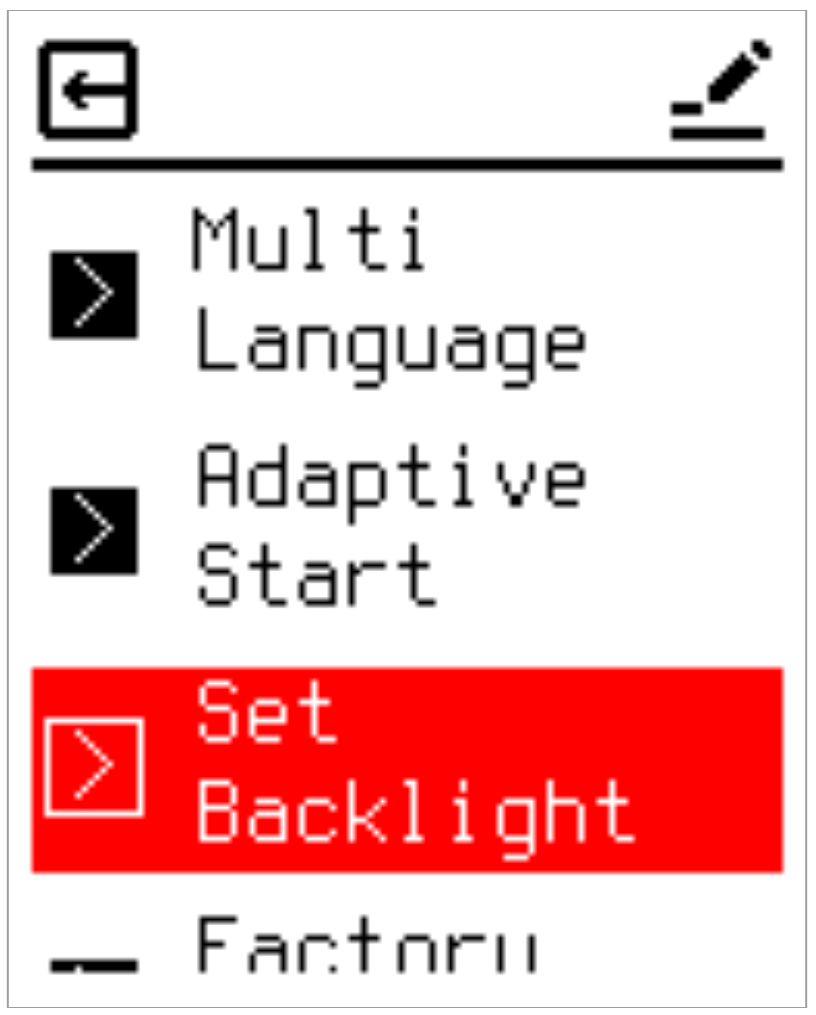
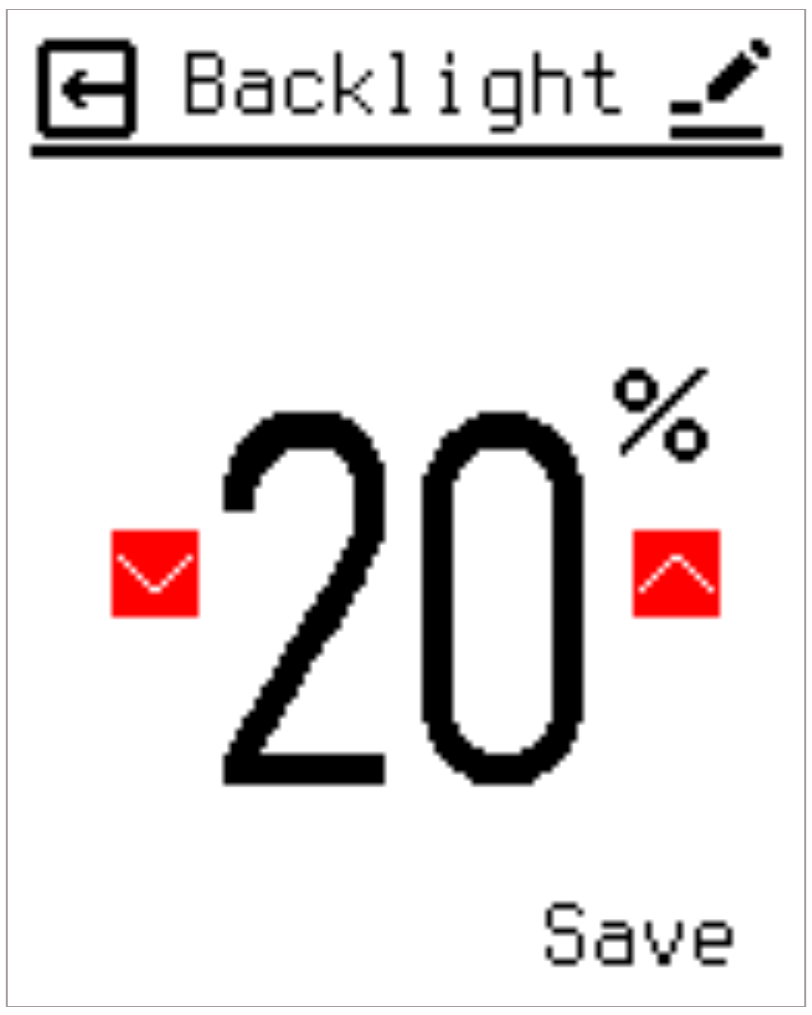
Adjusts the screen backlight intensity during Sleep Mode. The range spans 0% to 70% in 10% steps. Setting the value to 0% completely extinguishes the display backlight upon entering Sleep Mode.
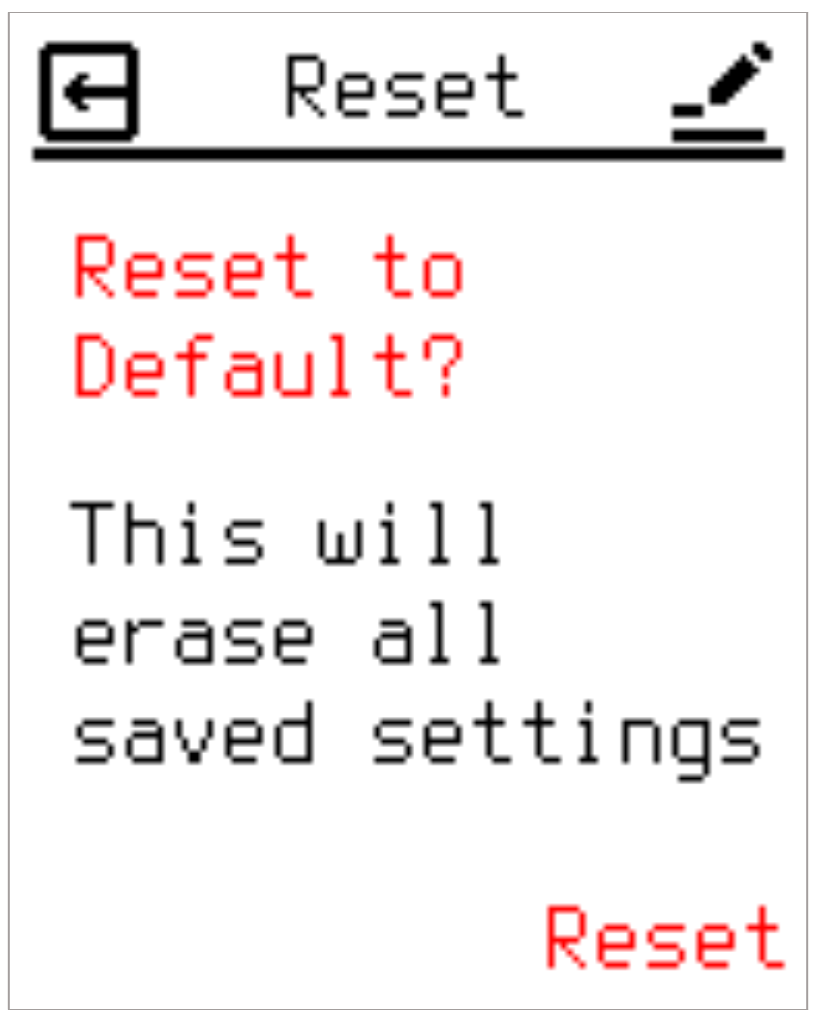
2.8.7 Factory Reset
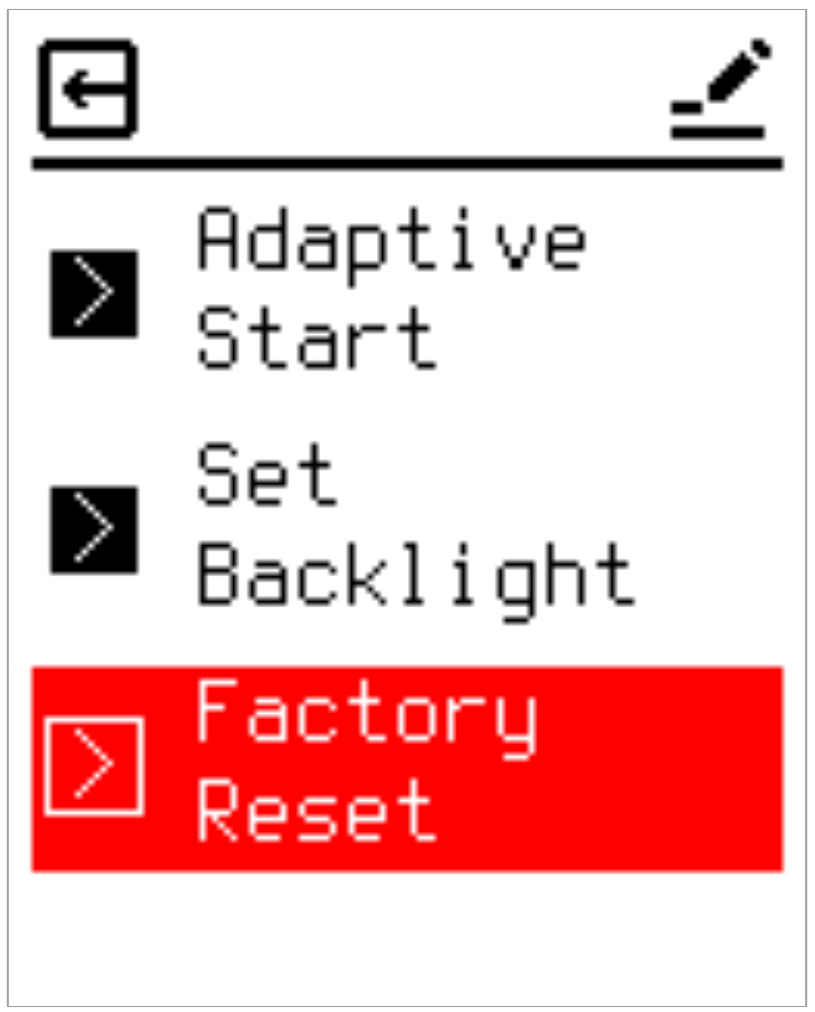
Provides a one-key restoration mechanism to clear all custom settings and return the thermostat to factory defaults. Pressing Enter on this screen executes the wipe command.
3. Conclusion and Maintenance Recommendations
This Nordic Edition Electric Underfloor Heating Thermostat integrates an intuitive dynamic three-state color feedback mechanism (switching between black and blue fonts) and a unified Top Bar interface framework. These features are designed to significantly streamline daily configuration paths while effectively mitigating the risk of accidental adjustments.
Furthermore, the system's embedded Output Power Limit and dual protection temperature mechanisms (Overheating & Frost Protection Limits) provide essential micro-environmental physical protection tailored for the wooden flooring structures widely used in the Nordic market. This reliably prevents progressive thermal damage to floorboards caused by localized heat accumulation beneath rugs or low-profile furniture. For daily operation, it is recommended to flexibly configure the scheduling profiles (5+2, 6+1, or 7-day modes), frost protection thresholds (Input Temp. Limit), and energy-saving backlight parameters according to your specific interior layouts and seasonal demands. This ensures the underfloor heating system continuously operates in its safest, most efficient, and energy-optimized state.
4. ⚠️ Safety Warnings & Installation Guidelines
Authorized Personnel Only:
In accordance with Norwegian regulations (FEK), this thermostat must only be installed, connected, or serviced by a registered electrical installation enterprise (authorized electrician). DIY installation is strictly prohibited and will void all warranties.
Compliance with Standards:
The entire installation must comply with the Norwegian electrical standard NEK 400 and local codes.
Power Isolation & Dual-Pole Disconnection:
Always disconnect the main power supply before working on the system. For installations in wet rooms (bathrooms, laundries, etc.), a dual-pole disconnection (allpolig brudd) is required. Ensure the heating system is completely de-energized.
RCD Protection:
The heating circuit connected to this thermostat must be protected by a residual current device (RCD) with a rated operating current not exceeding 30 mA.
Floor Sensor Protection for Timber Floors:
When installing heating cables under timber, parquet, or laminate floors, the external NTC floor sensor must be connected and configured with a maximum temperature limit (typically 27 °C) to prevent floor damage, in compliance with EN 50559.